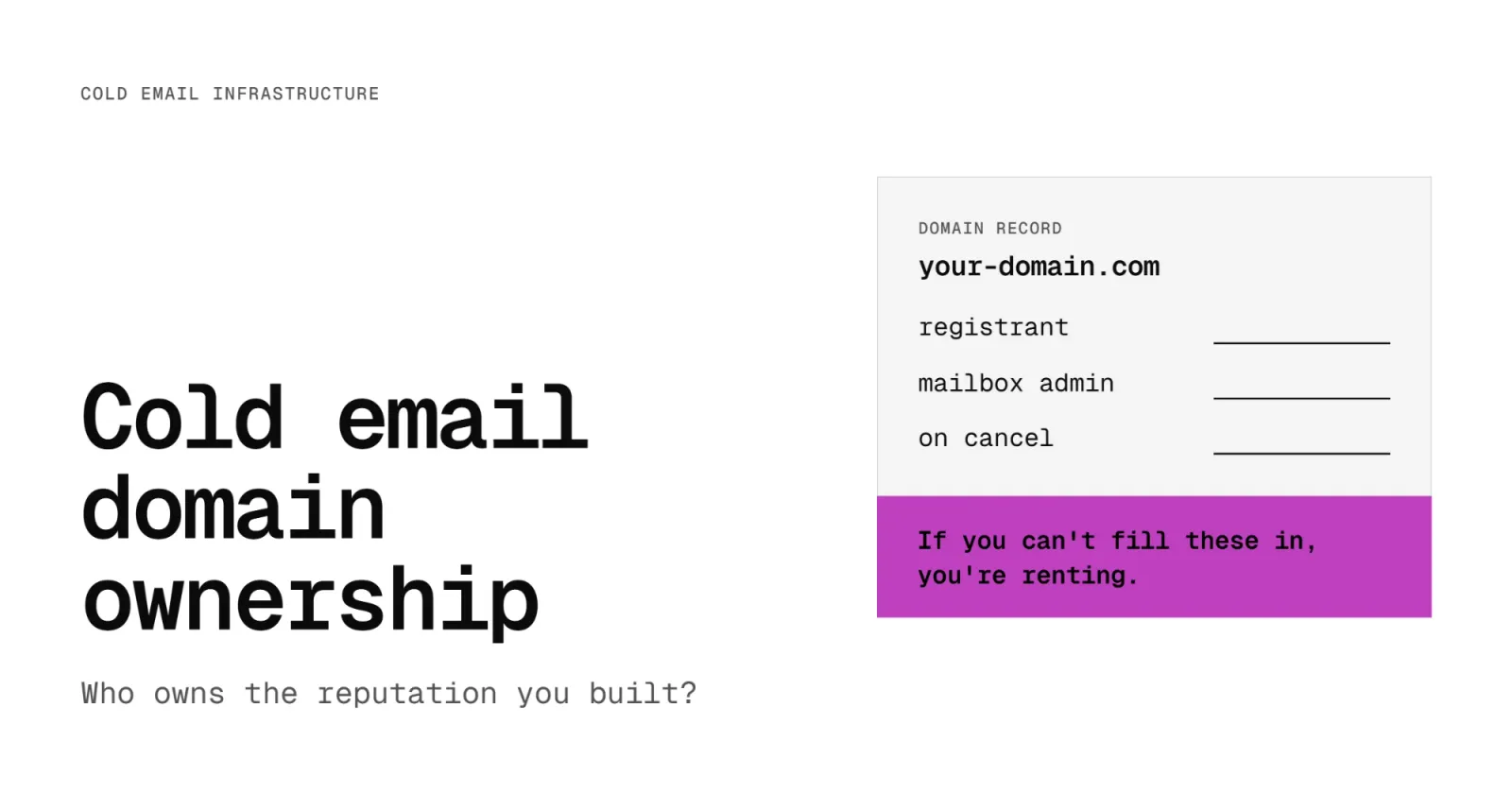
Cold email domain ownership comes down to two questions: whose name is the domain registered in, and who holds admin access to the mailboxes on it? If the answer to either one is "the tool we send from," you don't own your outbound infrastructure. You rent it. That includes the sending history you spent months building.
On October 21, 2026, Spamhaus published its Sender Guidelines, which put its rules for staying off its blocklists in one place. Most of the attention went to the DNS section. The line that matters more for outbound teams is on the page for ESPs and shared sending infrastructure:
"Recognise that customers in the shared IP pool or shared domain can affect the reputation of other customers in the pool."
That matters now because the tools in the outbound stack are turning into inbox sellers. Two of the biggest cold email sequencers sell domains and mailboxes inside the app, set up in a few clicks. It's fast and cheap, and it's easy to see why teams buy it. Read the terms first.
What Cold Email Domain Ownership Actually Means
You own your cold email infrastructure when the sending domains are registered in your name and you hold administrator access to the mailboxes on them. Anything less is a rental, however long you've paid for it.
There are three layers to check:
- The domain registration. The registrant on the domain record is the legal owner. If a vendor bought the domain in its own registrar account, it owns the domain.
- The mailbox tenant. Your mailboxes live in a Google Workspace or Microsoft 365 account. Whoever holds the admin login for that account controls the mailboxes, their passwords and their data.
- The sending history. Mailbox providers and blocklist operators judge you by how your domains and mailboxes have behaved over time. That history is tied to the domain and the tenant. It doesn't move with you.
The third layer is the one people forget. The first two decide who keeps it.
What Happens to Rented Domains When You Cancel
Here's what two of the largest sequencers say in their own help centers, as of October 2026.
Instantly done-for-you accounts
Instantly's help article on DFY accounts says: "Instantly DFY email accounts are exclusively configured for use within the Instantly platform." On ownership, it says: "We currently retain domain ownership and administrator access for any purchases and are unable to transfer them over."
Domains renew each year as long as at least one mailbox on them stays active. Cancel all of them and, in Instantly's words, "the domain will automatically expire."
Smartlead SmartSenders
Smartlead's SmartSenders FAQ says domains and mailboxes bought there "can't be transferred and used outside of Smartlead."
The domains don't renew either. They "run on a fixed 12-month term from the date of purchase," and "when a domain expires, all mailboxes on it expire too." Smartlead's answer at the end of the term is to buy fresh domains or use its Replace flow to get "new mailboxes with similar-looking domains."
Side by side
These terms can change, so check the current help center before you buy. The point isn't that these tools are bad. The point is that the setup they sell is built to stay inside them.
Why Sending History Is the Asset
So who owns the reputation you spent months building? Under these terms, not you.
That matters more every month, because the people who decide where your email lands are leaning harder on history:
- Microsoft is rolling out new limits on how many external recipients a Microsoft 365 tenant can email per day, based on the tenant's age. Under Message Center notice MC1454397, a tenant less than 31 days old gets 10% of its standard quota, a tenant 31 to 60 days old gets 25%, and only tenants older than 60 days get the full amount. The rollout started in mid-September 2026 and is expected to finish by the end of November 2026.
- Spamhaus says in its Sender Guidelines that "HELO domains which DO NOT have a sending history will be subjected to additional filtering." It also advises treating any change of IP or HELO hostname as a new asset when it has no sending history, and not sending from a newly registered domain for its first 30 days.
- Gmail and Outlook have always weighted a domain's track record. A new domain has no history to lean on, so it gets less benefit of the doubt. Our guide to email sender reputation covers how that history is built.
History is the asset. When it sits on a domain someone else owns, you're renting it. The day you leave the tool, or the term runs out, you start over at zero. Usually that happens on a sequence that was working fine last month, and you're back to warming up new domains while pipeline waits.
Shared Infrastructure Means Shared Reputation
Ownership isn't the only thing to check. Some pre-warmed and reseller mailboxes sit on shared infrastructure: shared IP addresses, shared tenants, or warm-up networks used by many customers at once.
Spamhaus is clear about what that means. Customers in a shared pool "can affect the reputation of other customers in the pool," and "hosting abusive senders will negatively impact reputation for shared domains and infrastructure."
In plain terms, if another customer on the same infrastructure sends badly, your mail can pay for it. You have no view of who they are or what they send. When you own the domain and the tenant, the only sending history on them is yours.
When Renting Is the Right Call
Renting has a place. If you're testing a new market for a few weeks, or running a short pilot to see whether a segment replies at all, buy the convenience. You'll be done before the history would have mattered, and you don't have to set anything up.
Renting stops making sense when outbound is how you build pipeline. If you plan to send from the same domains for six months or more, the history on them is worth more than the time you'd save. Own the part that carries your reputation: the domains and the mailbox tenant. You can still send through whatever sequencer you like.
How to Audit Who Owns Your Cold Email Domains
Before you buy another batch of inboxes, run this check. It takes less than an hour for most teams.
- List every domain you send from. Pull them from your sequencer's email accounts page, not from memory. Include domains bought by agencies or contractors.
- Find the registrant for each one. Log in to the registrar account. If you can't, or the domain isn't in an account your company controls, write down who holds it.
- Find the mailbox admin for each one. Note whether the mailboxes are in a Google Workspace or Microsoft 365 account your company holds the admin login for.
- Read the cancellation terms. For anything bought inside a tool or from a reseller, find out in writing what happens to the domain and mailboxes the day you cancel.
Put it in a spreadsheet like this:
If you can't fill in the first two columns, you don't have outbound infrastructure. You have a subscription.
If You Run Your Own Mail Servers: The November DNS Deadline
Most outbound teams send through Google Workspace or Microsoft 365, and those providers handle HELO and reverse DNS for you. If you run your own mail servers or send from your own IP addresses, there's one more thing to check.
Starting in November 2026, Spamhaus is gradually rolling out a requirement for every sending IP to have a valid HELO, a reverse DNS (PTR) record, and a matching A record. Put each of your sending IPs through the Spamhaus HELO and DNS checker now, before enforcement reaches you. If you need a refresher on what these records do, see our guide to email DNS records.
Frequently Asked Questions
Can I transfer a domain I bought inside Instantly or Smartlead?
Not according to their help centers as of October 2026. Instantly says it retains domain ownership and administrator access and is unable to transfer DFY purchases. Smartlead says SmartSenders domains and mailboxes can't be transferred or used outside of Smartlead.
Does a brand new domain have any sender reputation?
No. A new domain has no sending history, so mailbox providers and blocklist operators give it less trust. Spamhaus advises against sending from a newly registered domain for its first 30 days, and new Microsoft 365 tenants get a reduced external sending quota for their first 60 days.
Is buying mailboxes from a reseller always renting?
Not always. It depends on whose name the domain is registered in, who holds admin access to the mailbox tenant, and whether the contract lets you take both with you. Some providers will transfer domains on request. Get the answer in writing before you buy.
Should cold email go out from my main company domain?
No. Keep cold outreach on separate domains so a problem there doesn't affect the domain your team uses for customers, invoices and password resets. Those separate domains should still be registered in your name. Our cold email deliverability guide covers the full setup.
Can Formula Inbox help me move to infrastructure I own?
Yes. Our email infrastructure service sets up separate sending domains and mailboxes on Google Workspace or Microsoft 365, warms them in stages, and moves volume over from your old setup gradually so your campaigns keep running while the new domains build history.