

If you have noticed a sharp drop in Outlook inbox placement over the past 12 months, you are not imagining it. Microsoft has fundamentally restructured how Outlook filters email, and the results have been dramatic for senders who were not prepared. According to the 2025 Validity Email Deliverability Benchmark Report, Microsoft and Outlook now sit at just 75.6% average inbox placement — the lowest of any major provider — with spam rates exceeding 14% for some sender categories.
That means if your list is predominantly Outlook or Microsoft 365 users, you may be losing one in four emails to the spam folder before recipients ever see them. In this guide we explain exactly what Microsoft changed, why it is affecting so many legitimate senders, and what you need to do to recover your Outlook inbox placement.
Microsoft introduced two major new filtering mechanisms in 2025 that significantly affect inbox placement for all commercial senders: TERRL and MERRL. These systems use machine learning to analyze sender behavior patterns in real time, evaluating not just authentication and reputation signals but actual engagement data at a much more granular level than previous filtering systems.
In May 2025, Microsoft also formally required authentication for all senders delivering more than 5,000 emails per day to consumer domains — joining Gmail and Yahoo in making SPF, DKIM, and DMARC enforcement mandatory rather than advisory. Senders who were not already fully authenticated saw immediate drops in Outlook inbox placement when this enforcement went live.
Additionally, Microsoft expanded its AI-assisted content filtering, which now evaluates the semantic structure and relevance of email content beyond simple keyword matching. Generic, broadcast-style emails are being deprioritized in ways that would not have triggered filters even 18 months ago.
Authentication failures are the most common cause. If your SPF, DKIM, or DMARC records are missing, misconfigured, or not aligned, Outlook's enforcement means your emails are being filtered at the authentication layer before any content analysis even happens. Our complete guide to SPF, DKIM and DMARC setup walks through exactly what each record needs to look like for Outlook compliance.
A damaged domain or IP reputation is the second most common cause. Microsoft's SNDS (Smart Network Data Services) tracks complaint rates, bounce rates, and engagement data for every sending domain and IP. If your metrics are outside acceptable ranges, Outlook will filter your emails regardless of how clean your content is.
Cold email at scale is the third major factor. Outlook has become significantly more aggressive about filtering high-volume cold outreach. If you are sending cold sales emails to lists with significant Outlook or Microsoft 365 representation, you need a dedicated cold email infrastructure with proper warming. Our email deliverability guide for SDRs and sales teams covers this in detail.
Microsoft SNDS (Smart Network Data Services) is the free tool Microsoft provides for exactly this purpose. It shows the complaint rate, spam trap hit rate, and filter data for your sending IPs specifically as seen by Microsoft's systems. Access it at postmaster.live.com and authenticate with a Microsoft account. If your SNDS data shows red or yellow status for your sending IPs, you have a documented reputation problem that needs to be addressed.
Inbox placement testing tools like GlockApps show you Outlook inbox vs junk placement rates for test emails in real time. Running a placement test before a major campaign to a list with heavy Outlook representation is a low-cost way to catch filtering issues before they affect your entire send.
Our complimentary inbox placement test gives you a quick baseline reading across all major providers including Outlook, so you can see exactly where you stand before making any changes.
Start with authentication. Every sending domain you use must have properly configured and aligned SPF, DKIM, and DMARC. Microsoft will not grant inbox placement to unauthenticated senders regardless of any other positive signals. This is non-negotiable.
If your domain reputation with Microsoft is already damaged, the recovery path is the same as it is with any other provider: reduce sending volume, focus exclusively on your most engaged Outlook subscribers, clean your list aggressively, and rebuild positive engagement signals over four to eight weeks before scaling back up.
For cold email senders specifically, use dedicated cold email domains that are completely isolated from your primary business domain. Warm these domains carefully and keep daily volumes per domain well under the thresholds that trigger Microsoft's bulk sending filters.
Monitor your complaint rate with extreme diligence. Outlook's filtering responds quickly to complaint rate changes — both in the negative direction when complaints spike, and in the positive direction when complaint rates improve. Keeping your Outlook complaint rate consistently below 0.08% is one of the strongest signals you can send to Microsoft's filtering systems.
Outlook's aggressive filtering is frustrating for legitimate senders, but it reflects a real problem: Microsoft's consumer inboxes have historically received enormous volumes of spam and phishing attempts. Their new filtering systems are a direct response to that pressure. The senders who adapt fastest — by getting authentication right, maintaining clean lists, and sending genuinely relevant content — will see their Outlook inbox placement improve as Microsoft's systems learn to recognize them as trustworthy sources.
This is exactly the dynamic that makes ongoing monitoring so valuable. Our email deliverability support and monitoring service tracks your inbox placement and reputation metrics across all major providers, including Outlook, on an ongoing basis. Early warnings allow early intervention before small reputation issues become serious deliverability crises.
Outlook's 75.6% average inbox placement rate means the average sender is losing nearly 1 in 4 emails to the Outlook junk folder. If you have not audited your Outlook deliverability recently, you are very likely leaving significant revenue on the table.
Want to know exactly how your emails are performing in Outlook and what it will take to improve it? Talk to a Formula Inbox expert or start with a full email deliverability audit that covers every provider including Microsoft.
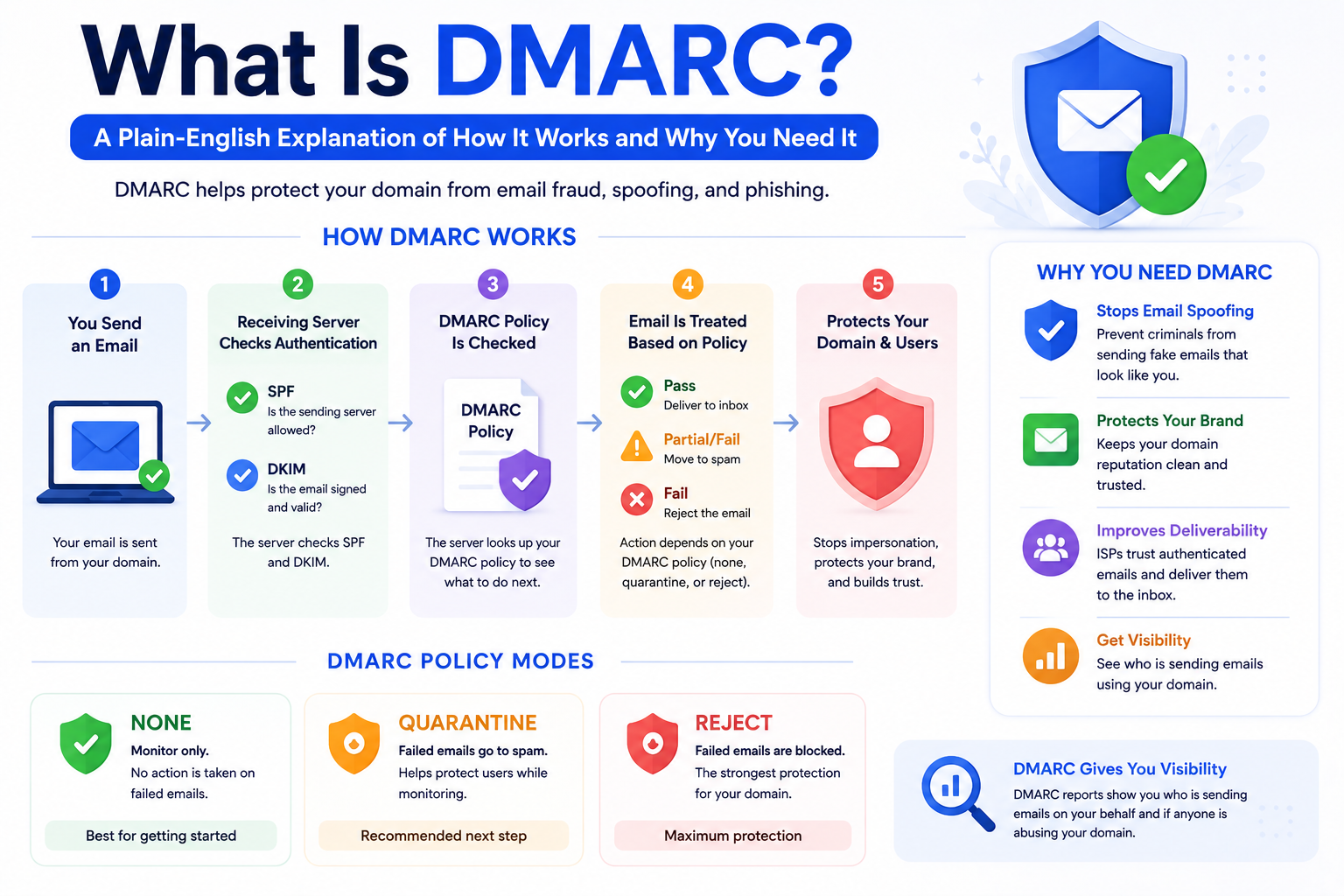
DMARC protects your email domain from spoofing and phishing — and improves your inbox placement at the same time. Here is a complete, plain-English guide to wha
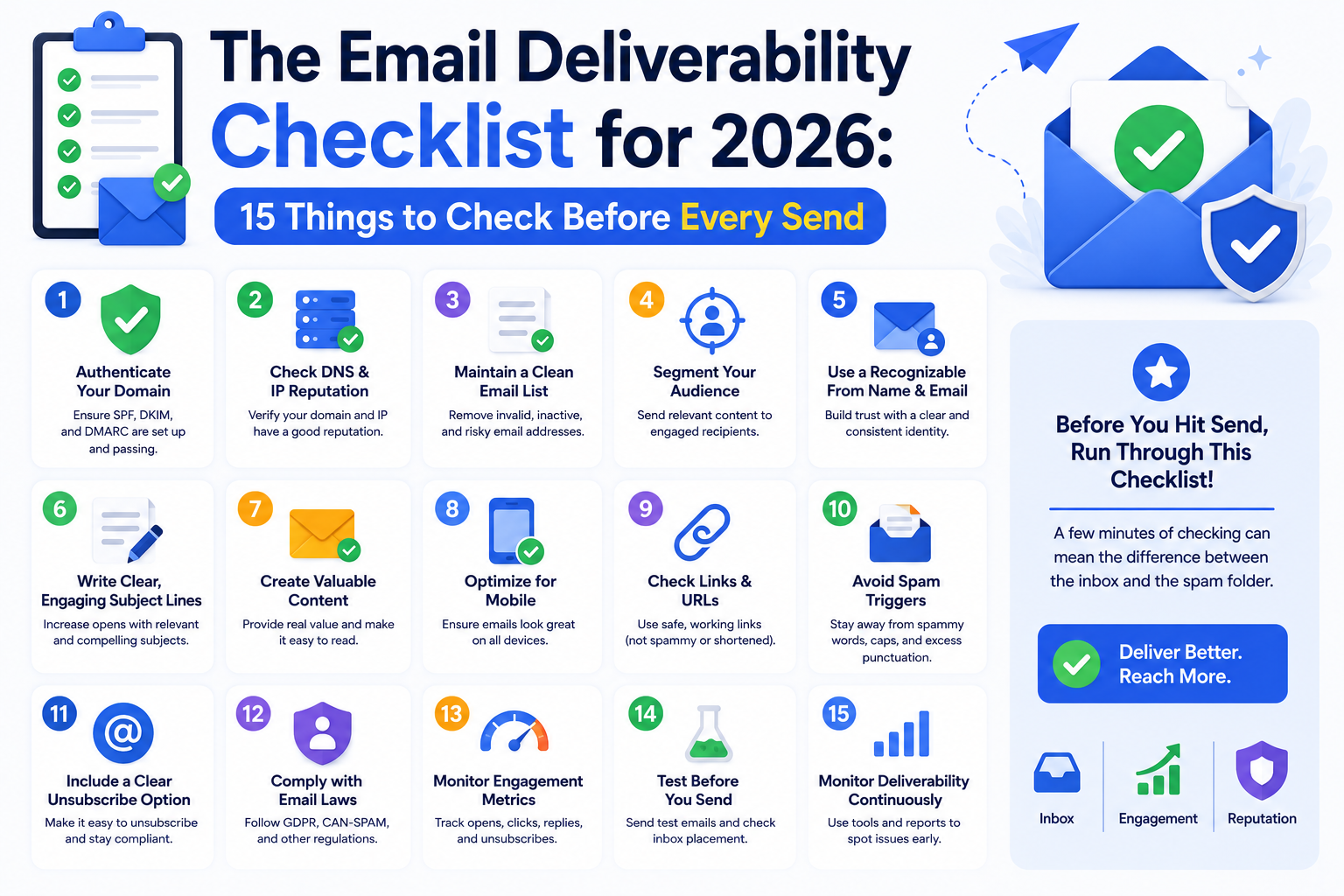
Use this complete email deliverability checklist to verify every critical factor before you hit send. Authentication, list health, content, and reputation — all
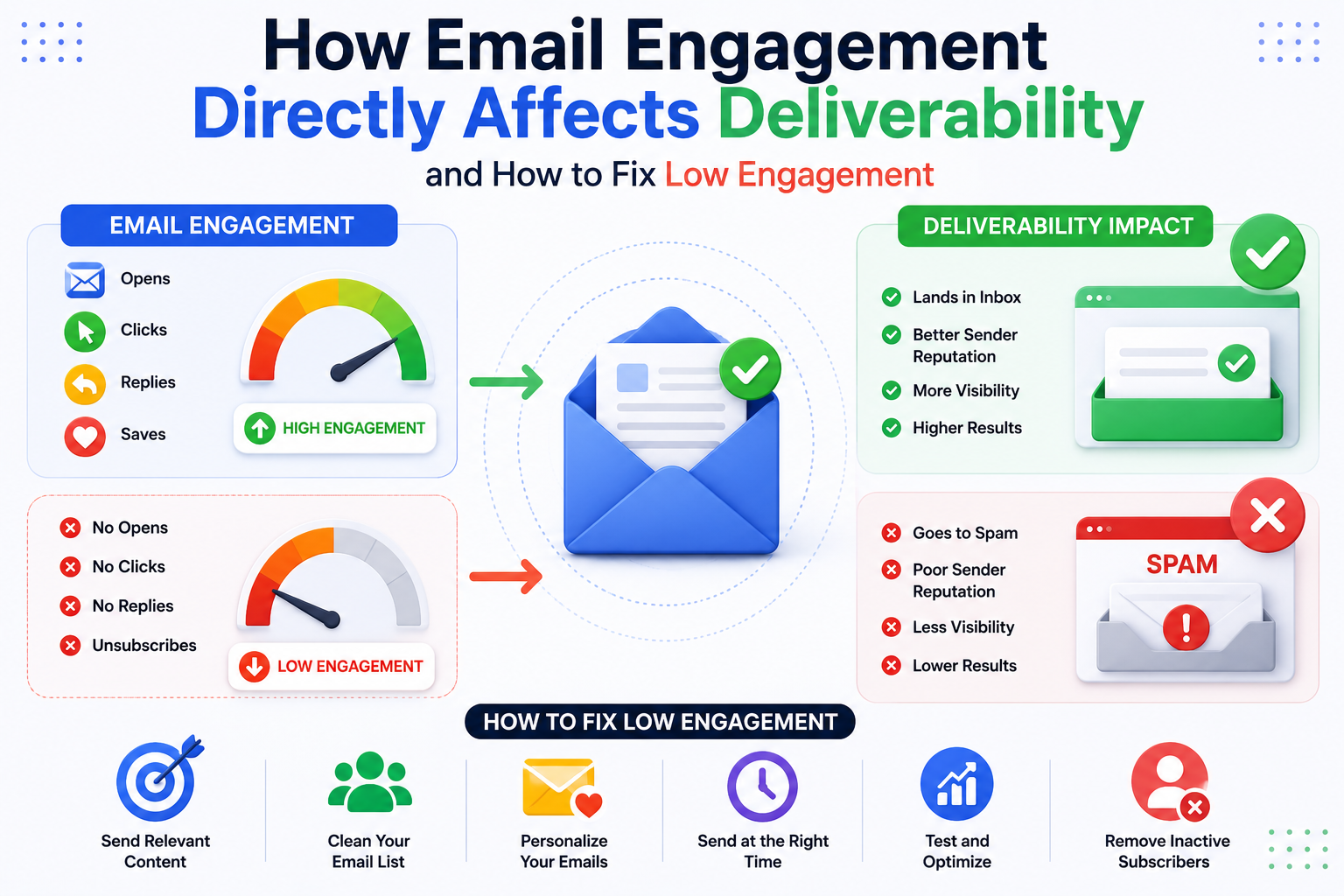
How Email Engagement Directly Affects Deliverability and How to Fix Low Engagement
Our highly experienced email deliverability managers consistently help clients achieve inbox placement rates (IPR) of more than 90% by uncovering and resolving the issues that keep messages from their intended recipients. Are you ready to do the same?