
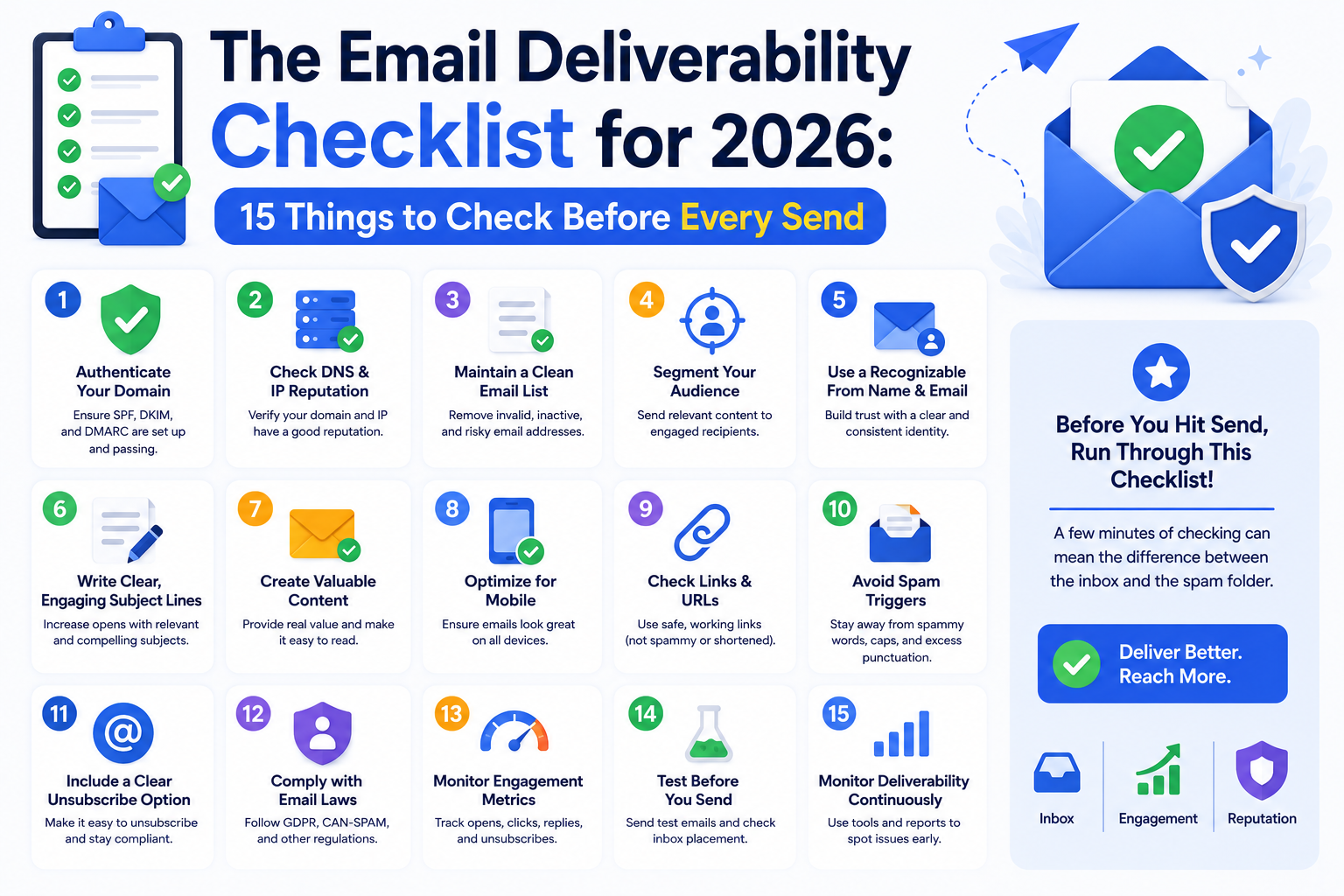
Most email deliverability problems do not appear suddenly. They build slowly, over weeks and months, from small oversights that compound into serious inbox placement failures. A simple pre-send checklist — reviewed before every major campaign — catches these issues while they are still easy to fix, before they damage your sender reputation or cost you revenue.
This checklist covers every layer of deliverability: technical authentication, sender reputation, list health, content quality, and monitoring. Work through it before your next send and you will know exactly where you stand.
Before anything else, your authentication records must be correct. These three checks are the most important things on this entire list.
SPF record: Your domain must have exactly one SPF TXT record that includes every email platform you send from. Use MXToolbox to verify it exists, has no syntax errors, and does not exceed the DNS lookup limit of ten. If you use Mailchimp, Klaviyo, SendGrid, and Google Workspace, all four need to be included in a single SPF record.
DKIM keys: Every email service provider you send through needs its own DKIM key added to your DNS. If you added a new platform in the last six months, check that DKIM is configured for it specifically. Go to your ESP's domain authentication settings and confirm the key is active.
DMARC policy: Your DMARC record should exist at _dmarc.yourdomain.com. If it is still set to p=none and you have had it in monitoring mode for more than 60 days, it is time to review your reports and consider moving to p=quarantine. A DMARC policy of p=none provides no protection against spoofing and signals to some providers that you are not fully committed to authentication hygiene. Our complete authentication setup guide explains each record in detail.
Authentication proves identity. Reputation proves trustworthiness. Both matter equally.
Google Postmaster Tools: Log into postmaster.google.com and check your Domain Reputation. High is healthy. Medium means watch carefully. Low or Bad requires immediate action before you send. Also check your Spam Rate — anything trending above 0.08% needs investigation.
Microsoft SNDS: If a significant portion of your list uses Outlook or Microsoft 365, check postmaster.live.com for your IP reputation data. Outlook is currently the most aggressive major provider at spam filtering, and a poor SNDS score explains why your Outlook subscribers are not engaging.
Blacklist check: Run your primary sending domain and your sending IP addresses through MXToolbox blacklist check. Any active listing needs to be resolved before your next campaign. Our email blacklist remediation guide covers the delisting process for every major blacklist.
Remove hard bounces: Any address that hard bounced in your last campaign must be suppressed before this send. Your ESP should do this automatically, but verify.
Suppress unengaged contacts: Anyone who has not opened or clicked in 90 days should be excluded from your main send. If you need to reach them, create a separate re-engagement campaign rather than including them in your primary audience.
Validate new imports: If you have added any new contacts since your last send, verify they were validated before import. Unvalidated bulk imports are one of the most common sources of hard bounce spikes.
Our email list management and data hygiene guide covers the full approach to keeping your list clean on an ongoing basis.
Spam score test: Send a test version of your email to mail-tester.com and review the full spam analysis before sending to your real list. Fix any issues flagged before proceeding.
Plain text version: Every HTML email should have a matching plain text version. Emails that arrive without one score higher on spam filters.
Image to text ratio: Emails that are mostly images with very little text are treated as suspicious by spam filters. Make sure your email has substantial readable text alongside any images.
Link audit: Check every link in your email. Confirm destination URLs are not on any blacklists, all tracking links are working, and you are not linking to any domains with poor reputations. One bad link can flag your entire email.
From address and name: Use a consistent, recognizable from name and a professional sending address on a domain you own. Free email domains like Gmail or Yahoo in the From field are an immediate spam signal for bulk sending.
For any major campaign, run an inbox placement test using a tool like GlockApps before sending to your full list. This shows you exactly where your email will land — Gmail inbox, Outlook junk, Yahoo spam — for each major provider. A five-minute test can prevent a campaign from silently failing for a quarter of your audience.
Formula Inbox also offers a complimentary inbox placement test that gives you a baseline reading across all major providers. Use it to establish where you are before making any changes to your email program.
Check your delivery, bounce, and complaint metrics within 24 hours of every major send. If complaint rates are above 0.10% or bounce rates are above 2%, pause further sending and investigate immediately. Monitor Google Postmaster Tools in the 48 hours after large sends to see whether your domain reputation shifted. For campaigns to large lists, check your SNDS data for Outlook as well.
A deliverability checklist is not bureaucracy. It is the difference between a campaign that reaches 90% of your list and one that reaches 60% — and you never know which it was unless you check.
If your checklist reveals problems you are not sure how to fix, a Formula Inbox email deliverability audit gives you a complete, actionable diagnosis. Or talk to one of our experts directly to work through a specific issue.
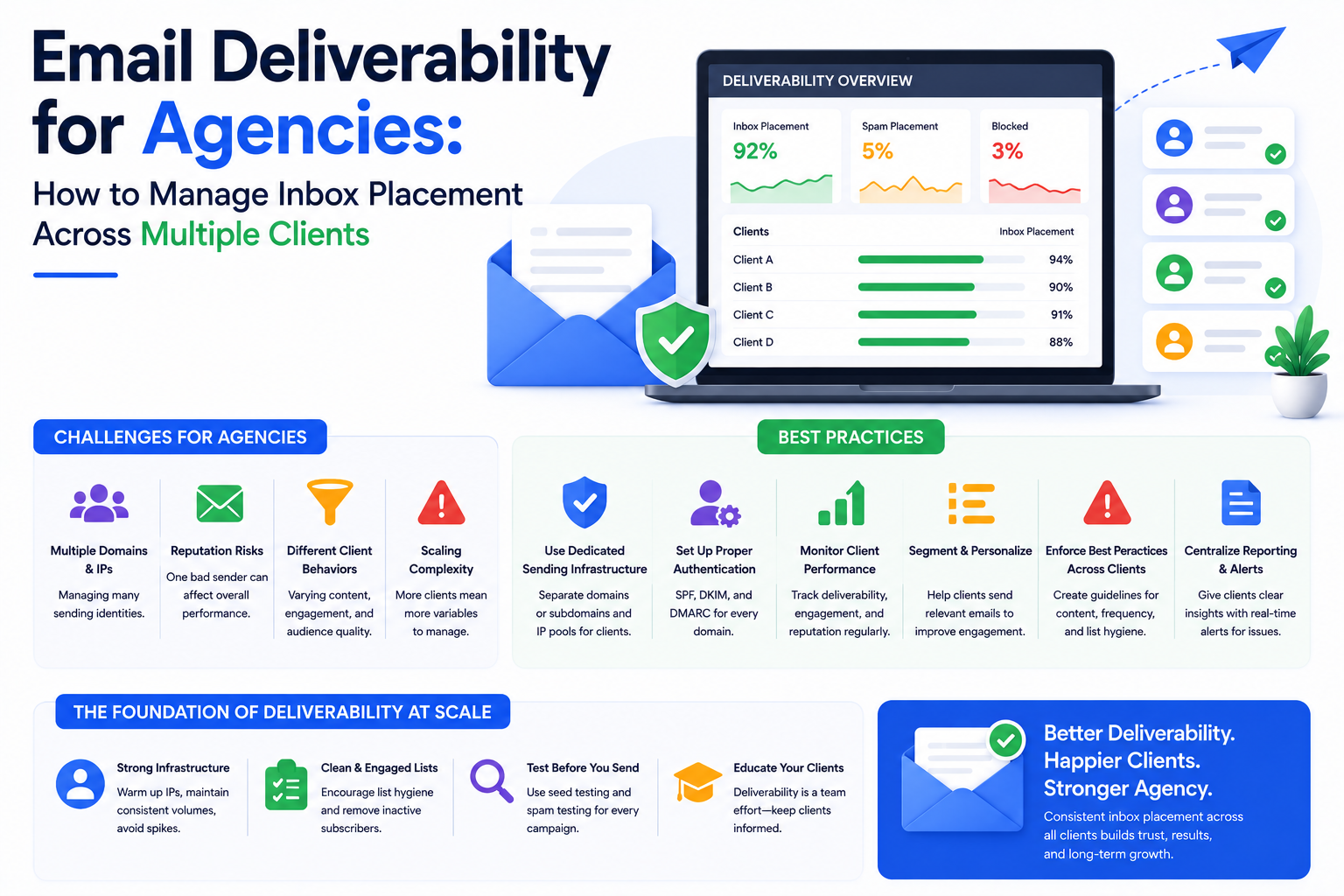
Managing email deliverability for multiple clients is complex. This guide shows email marketing agencies exactly how to structure sending infrastructure, isolat
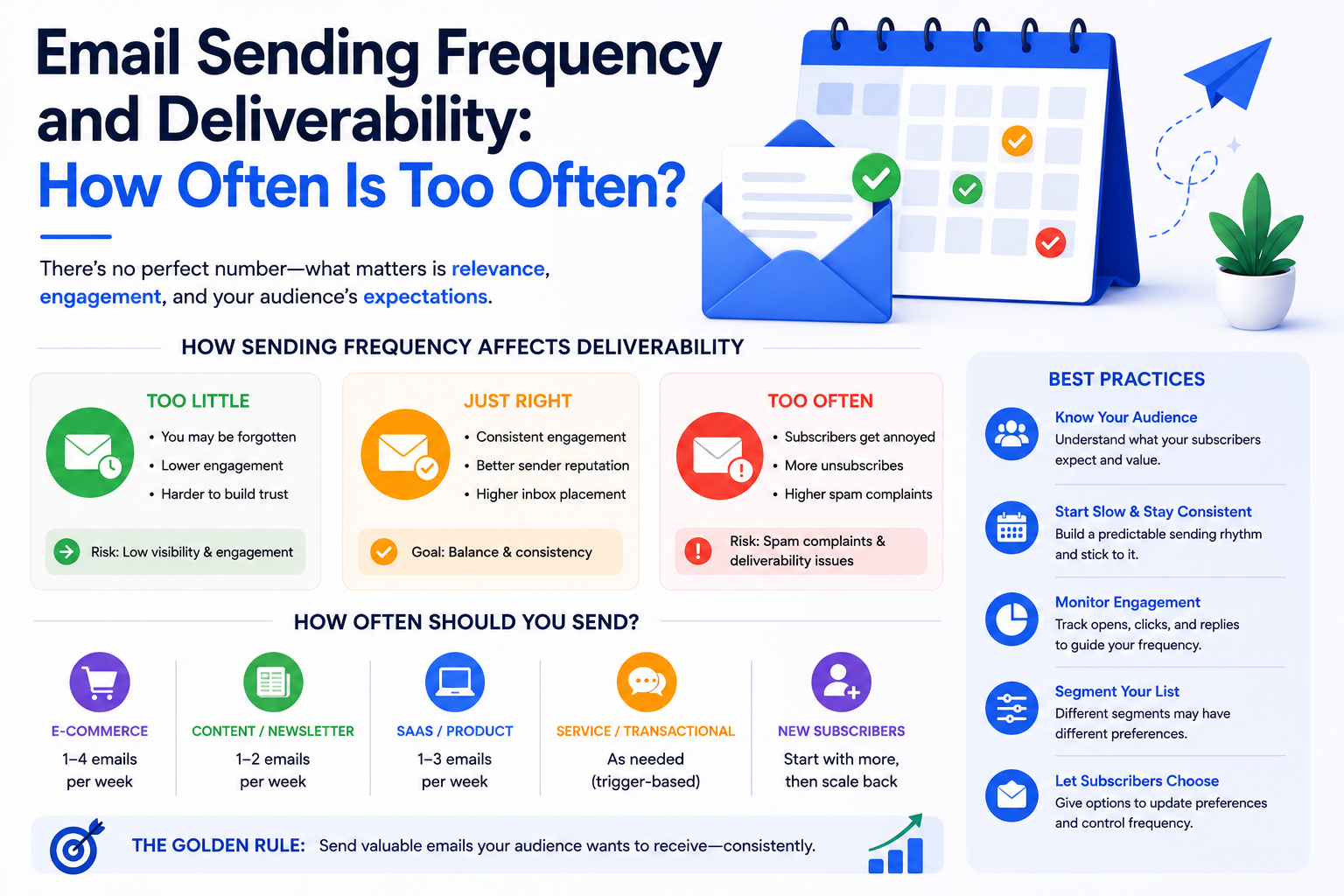
Sending too many emails damages your deliverability. Sending too few wastes your list. This guide explains the right email frequency for inbox placement and how
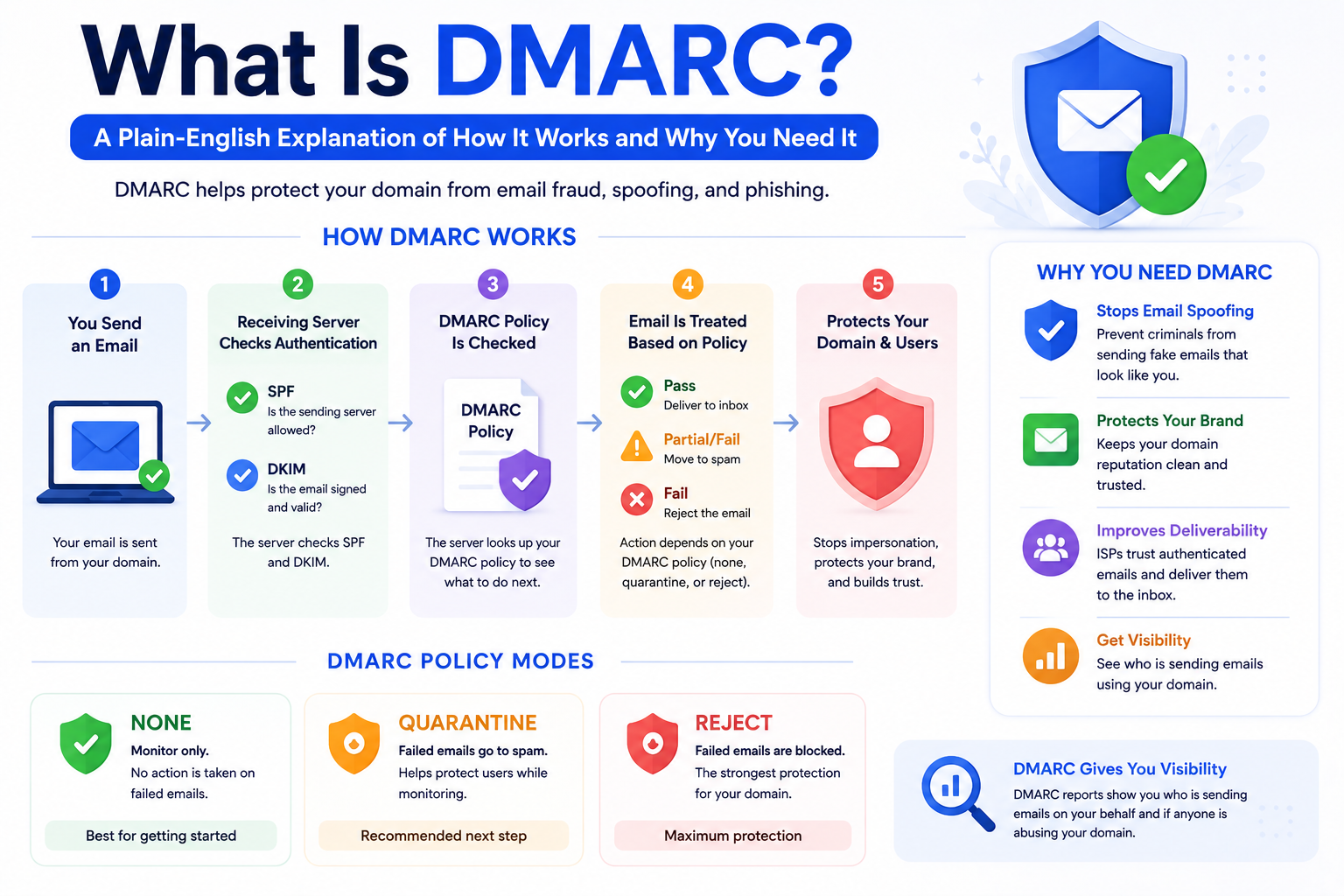
DMARC protects your email domain from spoofing and phishing — and improves your inbox placement at the same time. Here is a complete, plain-English guide to wha
Our highly experienced email deliverability managers consistently help clients achieve inbox placement rates (IPR) of more than 90% by uncovering and resolving the issues that keep messages from their intended recipients. Are you ready to do the same?