
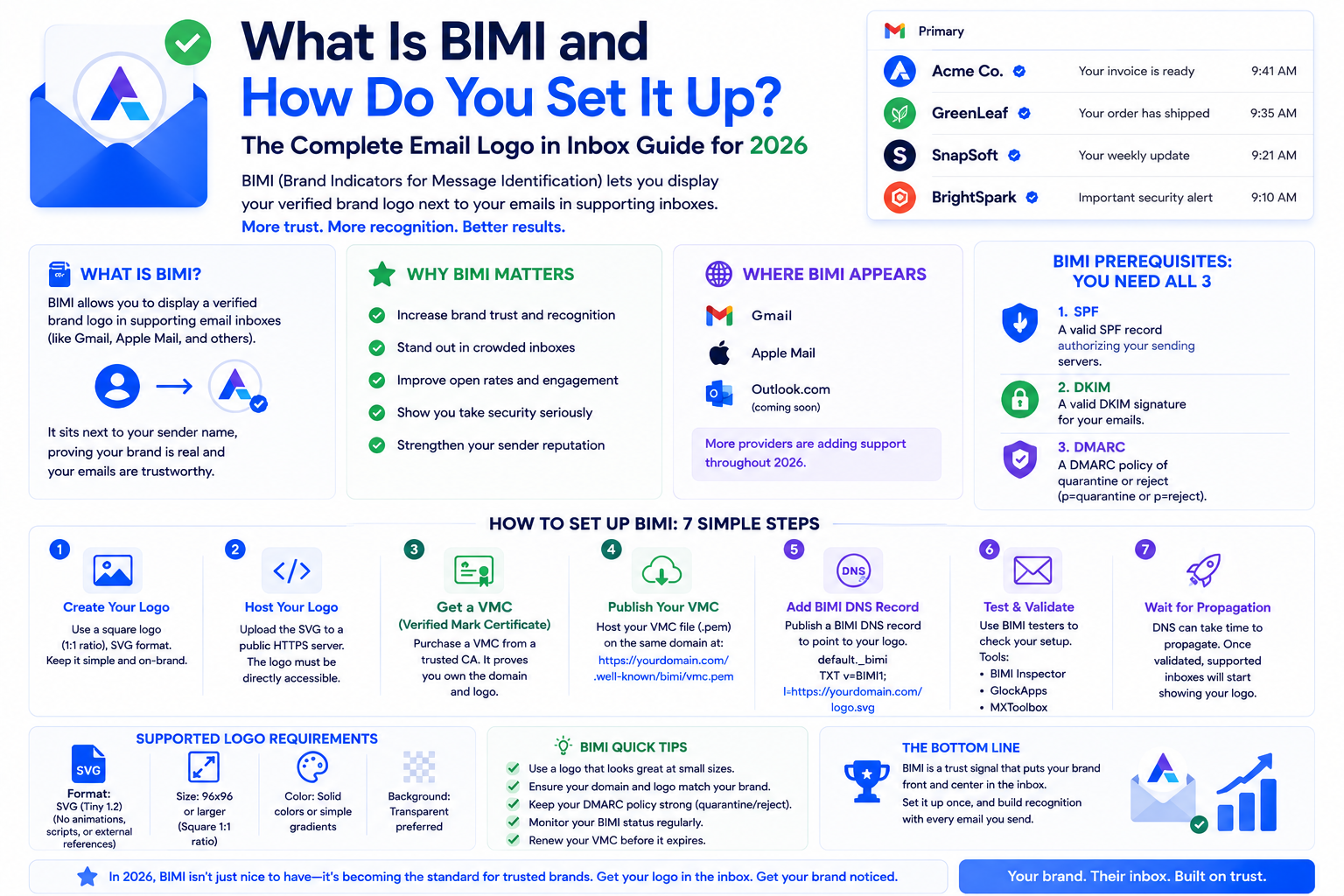
Imagine your brand logo appearing next to every email you send in your subscriber's Gmail inbox. Not as an attachment or inside the email — displayed directly in the inbox view, alongside your from name, before the recipient even opens the message. This is what BIMI does, and it is one of the more compelling developments in email branding in recent years.
BIMI — which stands for Brand Indicators for Message Identification — is a technical standard that allows verified senders to display their official logo in supported email clients. Gmail supports it. Yahoo supports it. Apple Mail added support in recent versions. As inbox AI summarization reduces the role of subject lines in driving opens, brand recognition in the inbox view has become more important — and BIMI is the mechanism that enables it.
BIMI is a DNS TXT record that points to your official brand logo file. When a BIMI-supporting inbox provider receives an email from your domain, it checks for the BIMI record, verifies that your domain meets the required authentication standards, and if everything passes, displays your logo in the inbox view next to your from name.
The logo appears as a small circular image in Gmail's inbox list view — the same position where profile pictures normally appear for personal contacts. For brands, this means immediate visual recognition in a crowded inbox. Studies have shown that brand logo presence in the inbox view increases open rates for recognized brands, and improves recipient trust signals that are increasingly relevant to AI-driven inbox prioritization.
BIMI has a specific set of prerequisites, and this is where most senders run into challenges. The requirements are not arbitrary — they are designed to ensure that BIMI logos are only displayed for verified, well-managed senders with strong authentication hygiene.
DMARC at p=quarantine or p=reject: This is the most significant requirement. You cannot implement BIMI at p=none. Your DMARC policy must be at a minimum of p=quarantine, and most providers strongly recommend p=reject for BIMI eligibility. This requirement ensures that BIMI logos are only displayed for domains with active anti-spoofing protection. If your DMARC is still at p=none, moving to p=quarantine is your first step.
SPF and DKIM correctly configured: Your authentication records must be properly set up and generating near-100% pass rates. Domains with authentication failures cannot qualify for BIMI verification. Our complete authentication setup guide covers getting these records right.
A verified logo for Gmail specifically: For Gmail's version of BIMI (which requires a Verified Mark Certificate, or VMC), you need a logo that has been trademarked and verified through an approved certificate authority like Entrust or DigiCert. This is the most significant additional cost of BIMI — VMCs currently cost several hundred dollars per year. Yahoo's BIMI implementation can work with a self-asserted logo without a VMC, but Gmail requires verification for full BIMI display.
Your logo in SVG Tiny 1.2 format: BIMI requires your logo in a specific SVG format. Most designers can prepare this, but it is not the standard export format from most design tools and requires specific formatting compliance.
Once your prerequisites are in place, the BIMI record itself is straightforward to set up. It is a TXT record added to your DNS with the naming format: default._bimi.yourdomain.com
A basic BIMI record looks like this:
default._bimi.yourdomain.com TXT "v=BIMI1; l=https://yourdomain.com/logo.svg; a=https://yourVMCcertificate.pem"
The l= tag points to the URL where your SVG logo is hosted (must be publicly accessible over HTTPS). The a= tag points to your VMC certificate file (required for Gmail, optional for Yahoo). After adding the record, DNS propagation typically takes a few hours to 48 hours.
After your record is in place, send a test email to a Gmail account and check whether your logo appears in the inbox view. Note that Gmail only displays BIMI logos when the authentication check passes completely — if your logo is not appearing, the most common causes are the DMARC policy not being at p=quarantine or higher, the SVG file not meeting BIMI specifications, or the VMC certificate not being correctly linked.
Use BIMI verification tools like BIMI Inspector (bimigroup.org) to check your record for errors and confirm it is correctly formatted. These tools simulate what inbox providers see when they look up your BIMI record.
BIMI's most obvious benefit is brand recognition and the resulting lift in open rates. But there is a less obvious deliverability benefit: the process of implementing BIMI requires getting your authentication infrastructure to a standard that has direct positive effects on inbox placement across all providers.
Moving from p=none to p=quarantine on DMARC, ensuring clean SPF and DKIM pass rates, and verifying your domain through the VMC process all signal to inbox providers that you are a serious, well-managed sender. These signals contribute to your overall domain reputation in ways that go beyond just enabling the logo display.
Our email infrastructure services include full BIMI implementation — from DMARC policy escalation through SVG logo preparation, VMC coordination, and DNS record setup.
For large, brand-recognized companies with significant email lists and established trademarks, BIMI is almost certainly worth the investment. The combination of increased brand recognition in the inbox, higher open rates, and the deliverability benefits of achieving BIMI-level authentication compliance create clear ROI.
For smaller senders or brands with less established visual identity, the VMC cost may be hard to justify on open rate lift alone. However, the authentication improvements required to achieve BIMI eligibility are valuable regardless of whether BIMI itself is the right choice for your current stage.
BIMI is the visible reward for getting your authentication hygiene right. If you have done the work on DMARC, SPF, and DKIM, implementing BIMI is a relatively small additional step that puts your brand front and center in every subscriber's inbox.
If you want to implement BIMI or need help getting your authentication to BIMI-ready standards, talk to the Formula Inbox team. We handle everything from DMARC policy escalation to VMC coordination to DNS record setup. Or start with a full deliverability audit to understand where your authentication stands today.
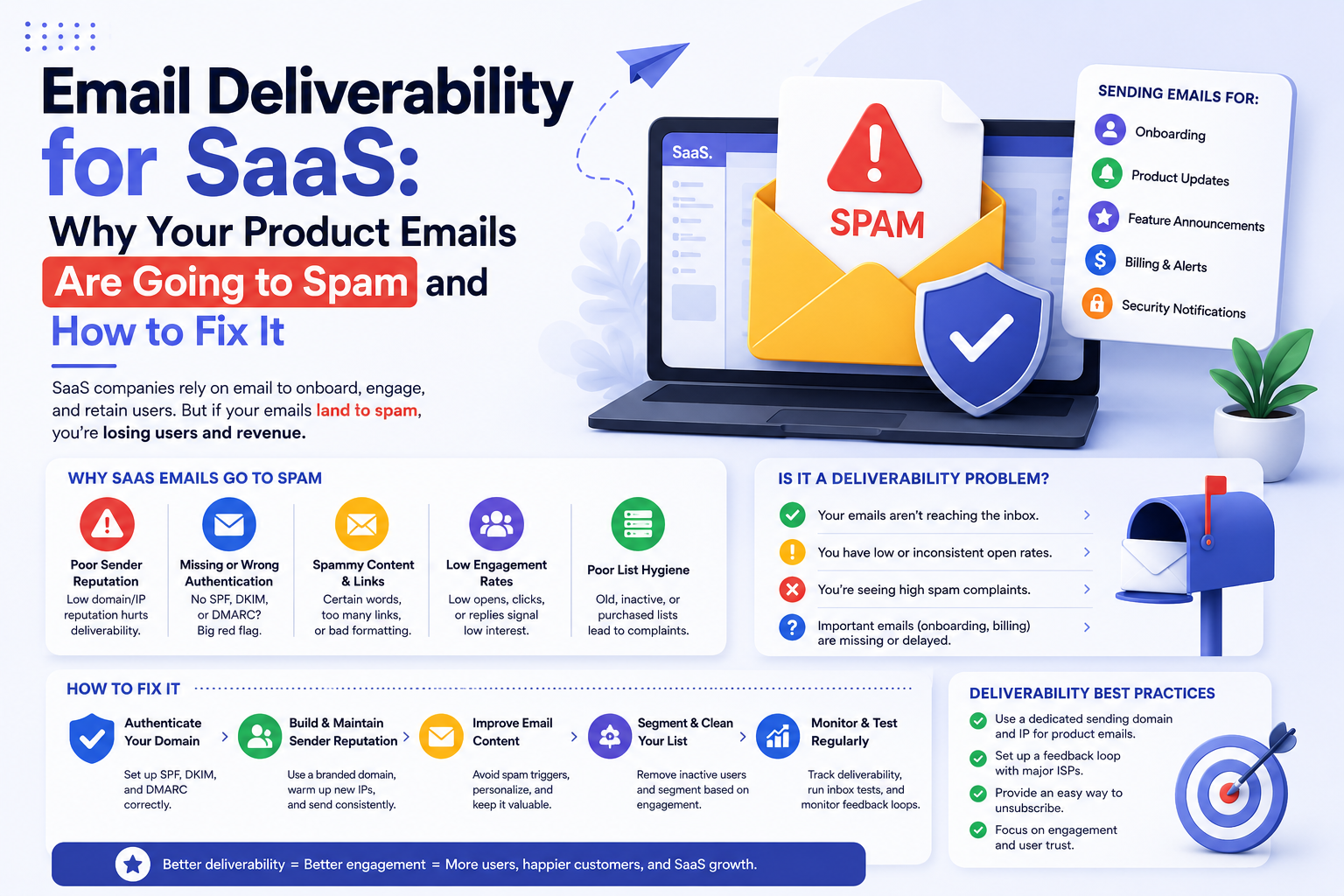
Product emails, onboarding sequences, and notifications going to spam in your SaaS product can kill activation and retention. Here is how to fix your SaaS email

Open rates dropping? It might be deliverability — or it might be something else entirely. This guide shows you how to tell the difference and fix the actual pro
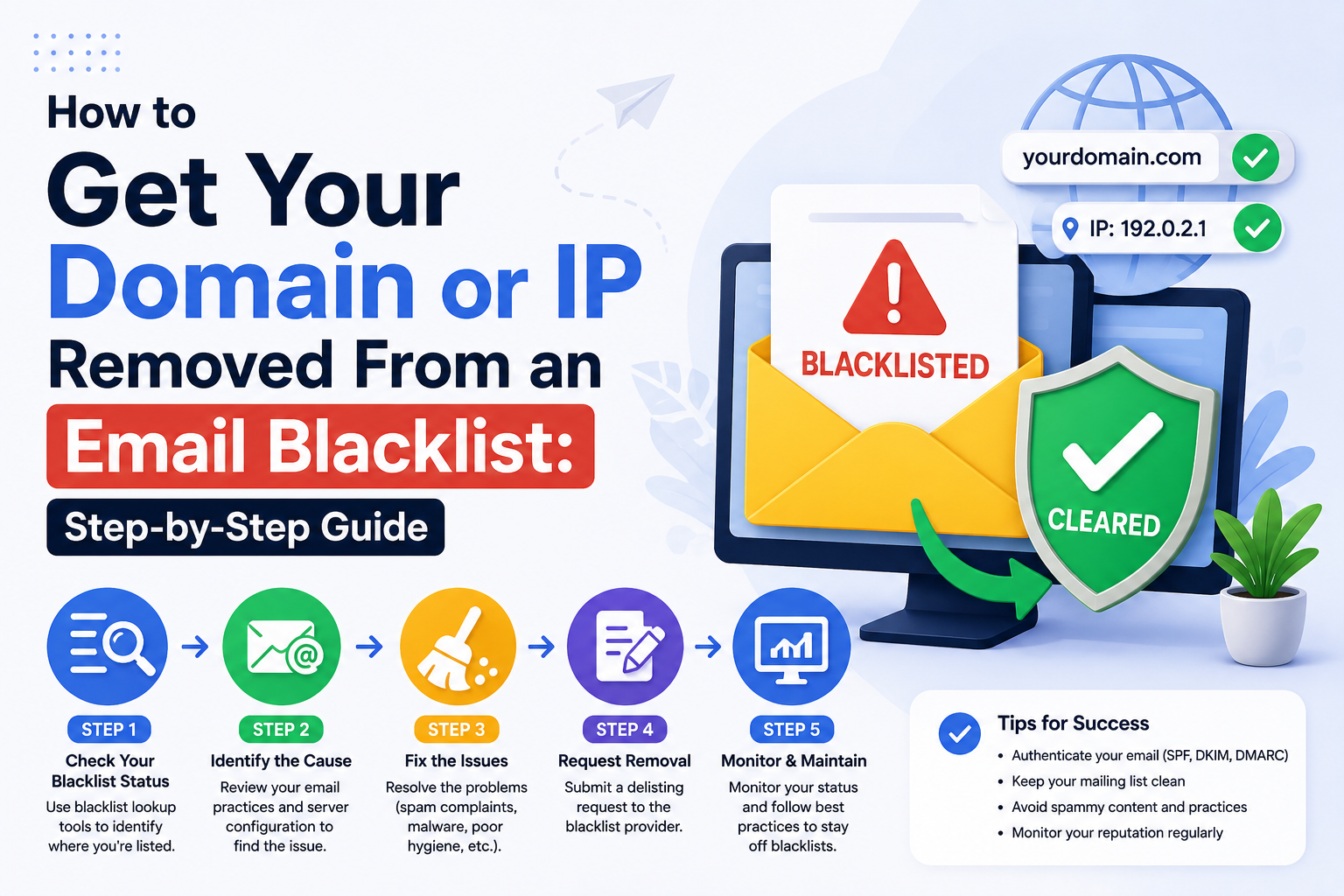
Your domain or IP is on an email blacklist and your emails are being blocked. This step-by-step guide shows you exactly how to identify the blacklist, fix the c
Our highly experienced email deliverability managers consistently help clients achieve inbox placement rates (IPR) of more than 90% by uncovering and resolving the issues that keep messages from their intended recipients. Are you ready to do the same?