
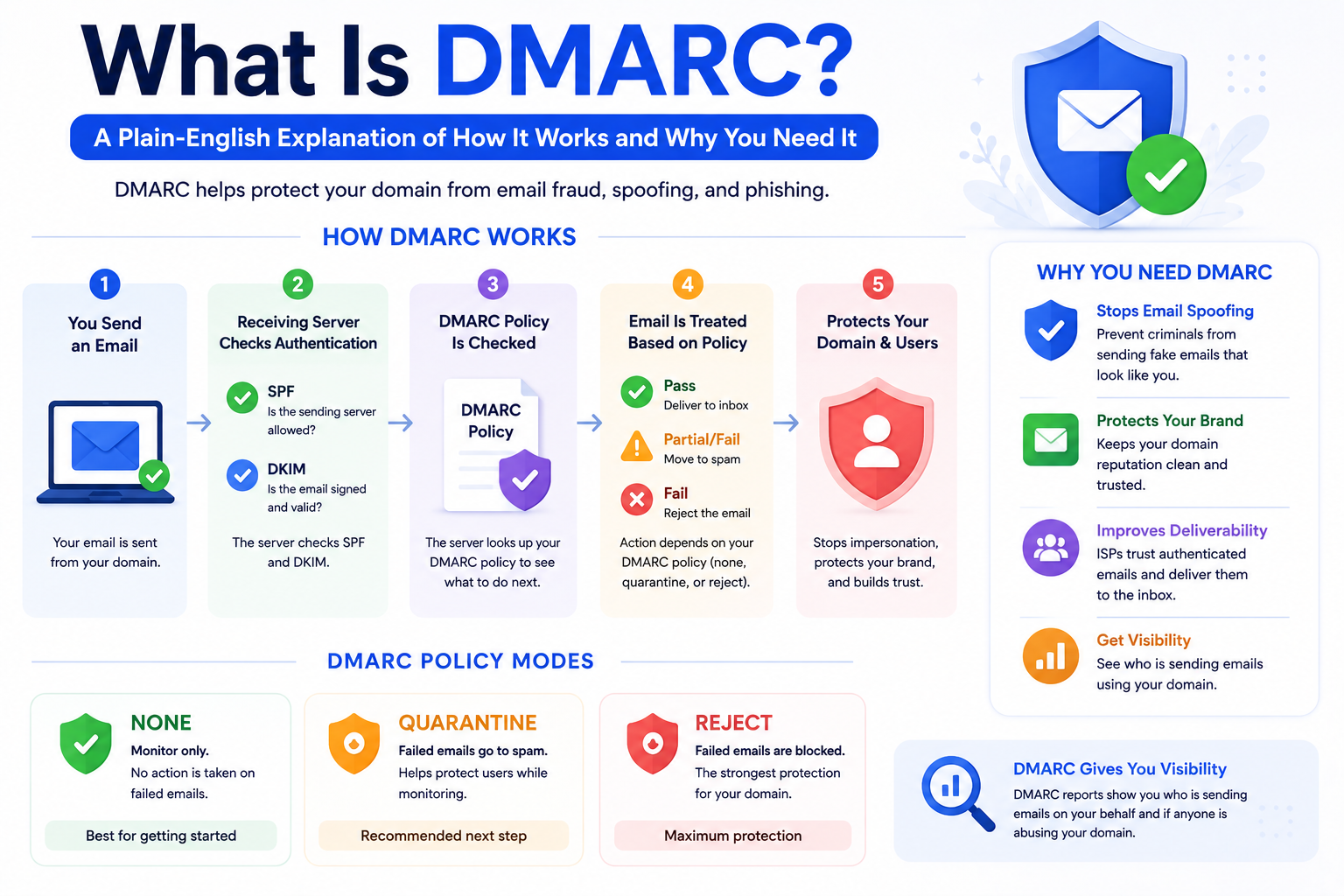
If you have ever received a phishing email that appeared to come from a legitimate company — maybe a fake bank alert or a spoofed invoice — there is a good chance that company did not have DMARC set up correctly. DMARC is the protocol that prevents this from happening. It also happens to be one of the most important technical requirements for email deliverability in 2026.
Despite its importance, DMARC is consistently one of the most misunderstood records in email configuration. Many senders have it set up at the bare minimum — the monitoring-only p=none policy — and never take it further. This guide explains what DMARC actually does, how its three policy levels work, and why getting DMARC right matters both for security and for your inbox placement.
DMARC stands for Domain-based Message Authentication, Reporting and Conformance. That is a lot of words for what it actually does, which is this: it tells inbox providers what to do with emails that claim to be from your domain but fail authentication checks.
Without DMARC, a receiving server that spots an authentication failure has to make its own judgment call about what to do with that email. Different servers make different calls, and phishing emails often get through. With DMARC in place, you are making that decision yourself as the domain owner. You are saying: if someone sends an email claiming to be from my domain and it fails SPF or DKIM verification, here is exactly what you should do with it.
DMARC also adds alignment. It requires that the domain in the visible From address matches the domain that passed SPF or DKIM authentication. This closes a specific spoofing loophole where attackers would use a legitimate domain's authentication while displaying a different From address to the recipient.
DMARC has three policy levels, set by the p= tag in your DMARC record. Understanding what each one does is essential for setting up DMARC correctly.
This policy tells receiving servers to take no action on emails that fail DMARC. They are still delivered normally. The only thing p=none does is generate reports that get sent to the address in your rua= tag.
This is the right starting point. You use p=none to understand who is sending email using your domain before you start blocking or filtering anything. If you set a stricter policy immediately without reviewing your mail flows first, you risk blocking your own legitimate emails. Stay at p=none for 30 to 60 days and review your reports.
This policy tells receiving servers to route emails that fail DMARC authentication to the spam or junk folder. Your domain is now actively protected — spoofed emails from your domain will not reach recipients' primary inboxes. This is the appropriate next step once you have confirmed your legitimate email streams are all passing authentication.
This is the strongest policy. Emails that fail DMARC are rejected outright at the server level and never delivered. For fully mature email programs where every legitimate sending stream has been identified and authenticated, p=reject provides the maximum protection against domain spoofing. Many sophisticated senders and all major financial institutions operate at p=reject.
DMARC aggregate reports are XML files sent daily to the address in your rua= tag. They show you every IP address that sent email claiming to be from your domain during the reporting period, along with how many of those emails passed or failed SPF and DKIM authentication.
Raw XML is difficult to read. Use a DMARC report parser like Dmarcian, Postmark's DMARC Digests, or EasyDMARC to translate your reports into readable dashboards. Look for: IP addresses you do not recognize sending from your domain (potential spoofing), legitimate sending streams with authentication failures (configuration problems to fix), and overall pass rates for your known sending platforms.
The goal is to reach a state where every row in your DMARC report shows a known sending source with a 100% pass rate. Once you are there, you can confidently move from p=none to p=quarantine.
DMARC is not just a security tool. It has a direct positive effect on email deliverability. In 2024, Gmail and Yahoo formally required a DMARC record for bulk senders. In 2025, Microsoft followed. Beyond compliance, inbox providers extend more trust to senders who have DMARC configured — especially those operating at p=quarantine or p=reject, which signals a serious, well-managed email program.
There is also a less obvious deliverability benefit: DMARC at p=quarantine or p=reject is a prerequisite for BIMI (Brand Indicators for Message Identification), which allows your brand logo to appear next to your emails in supported inboxes. BIMI itself improves open rates by increasing brand recognition and trust in the inbox. Our email infrastructure services include full DMARC implementation and BIMI setup for eligible senders.
Setting p=reject immediately without reviewing reports first is the most common and most damaging mistake. If your transactional email platform, your marketing automation tool, or your cold email platform is not properly authenticated, p=reject will block those emails completely the moment you enable it. Always spend 30 to 60 days at p=none first.
Not monitoring DMARC reports means you never know who is spoofing your domain or whether your own authentication has developed gaps. Set up a report parser and review your reports at least monthly.
Forgetting to authenticate new sending platforms as your email stack grows is another common issue. Every new tool you send email through needs its DKIM keys in your DNS and needs to be covered by your SPF record. Our email deliverability audit maps your full sending environment and identifies every authentication gap.
If your DMARC is still at p=none and you have been running your email program for more than 60 days, you are leaving your domain exposed to spoofing and missing inbox placement benefits you could be getting right now.
Getting DMARC right is one of the highest-value deliverability improvements you can make. If you want expert help reviewing your current DMARC setup and moving through the policy levels safely, Formula Inbox is here to help. Start with a full email deliverability audit to understand your complete authentication picture.
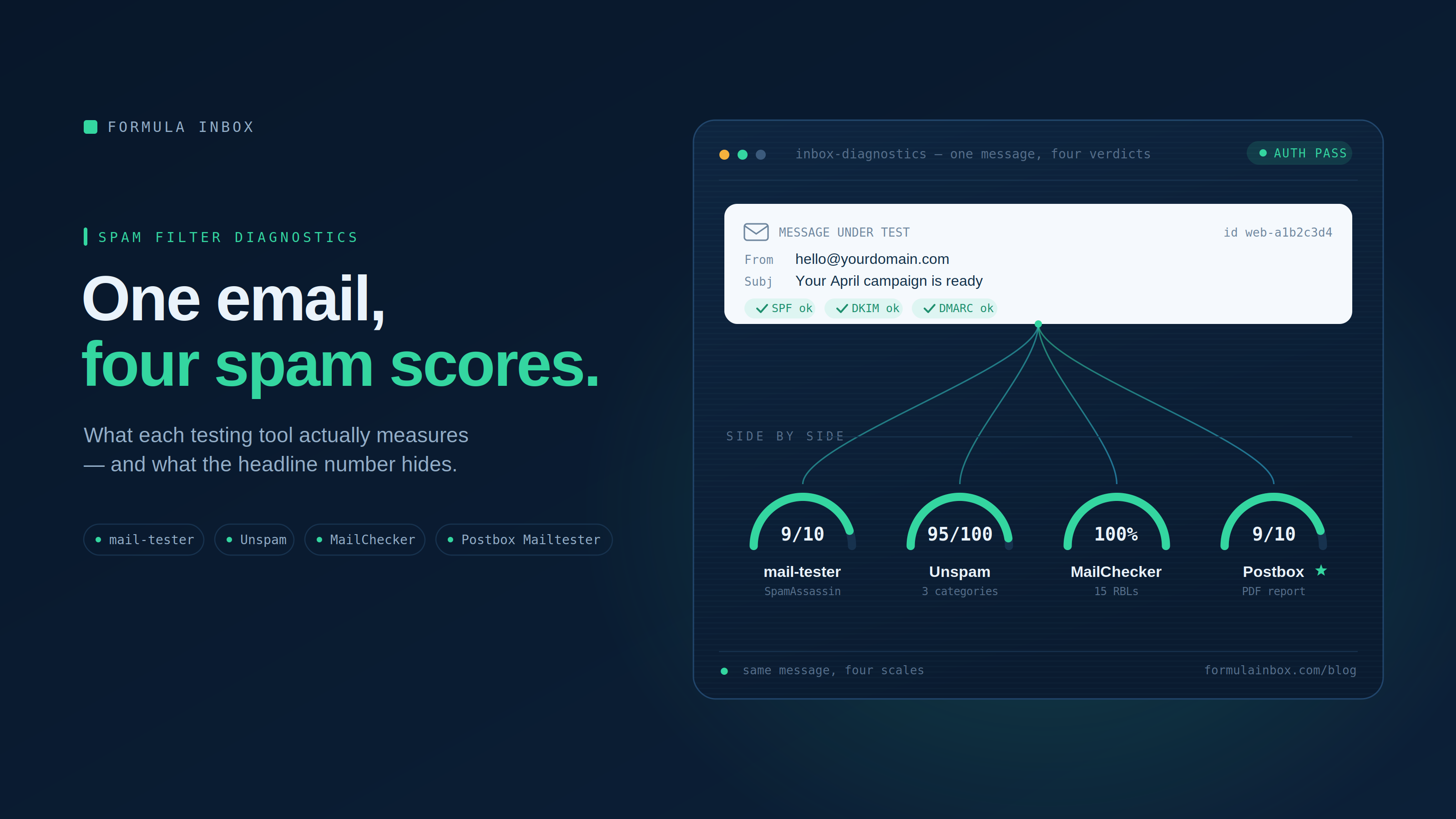
Not every tester measures the same things, and the single score they show can hide as much as it reveals.
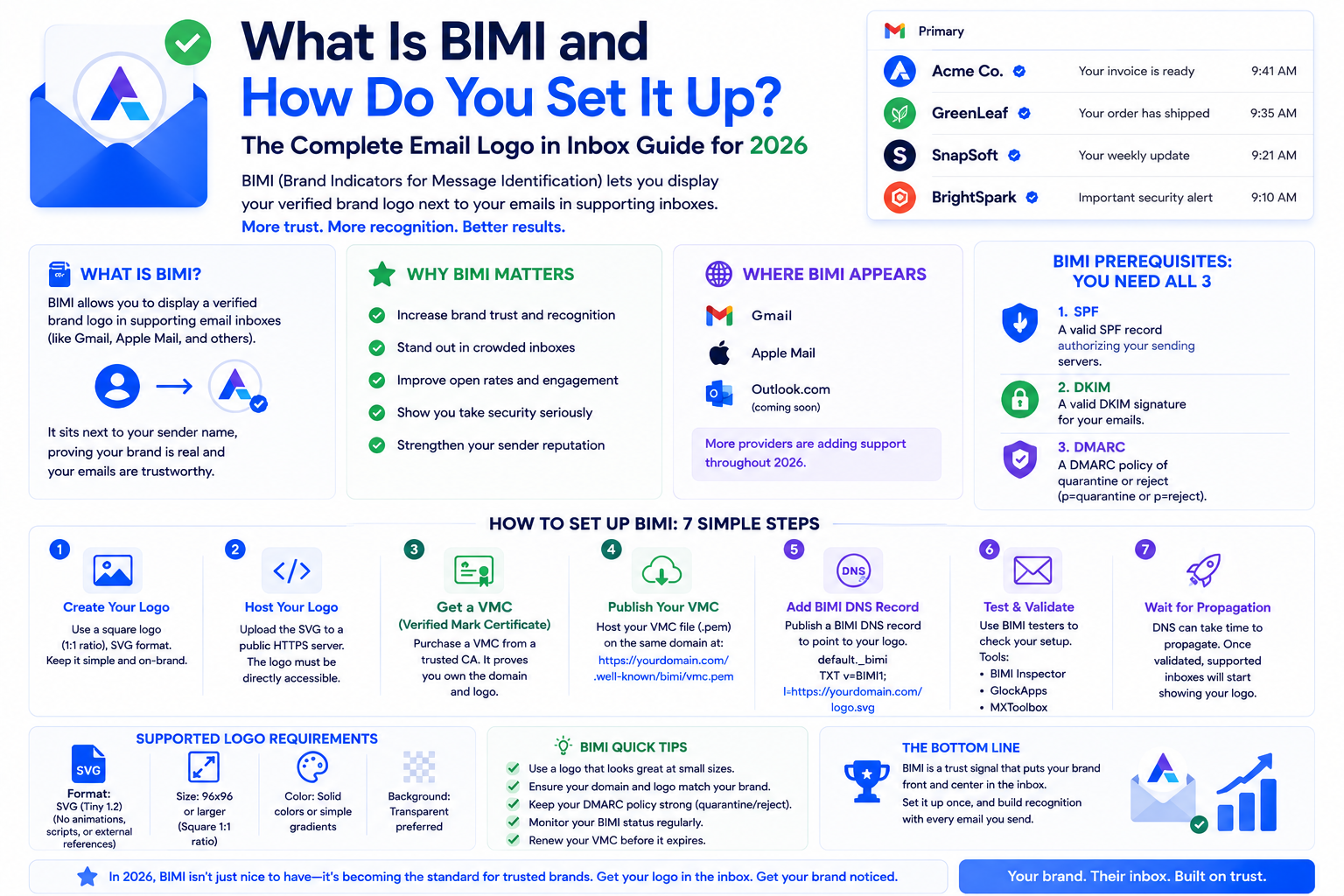
BIMI displays your brand logo next to your emails in Gmail and Yahoo — improving recognition and trust. This complete guide explains what BIMI is, how to set it

Email deliverability and email marketing are not the same thing. Understanding the difference is the first step to fixing inbox placement problems that no amoun
Our highly experienced email deliverability managers consistently help clients achieve inbox placement rates (IPR) of more than 90% by uncovering and resolving the issues that keep messages from their intended recipients. Are you ready to do the same?