Spam Testing Tools Compared: mail-tester, Unspam, MailChecker and Postbox Mailtester
Truitt Dill ·
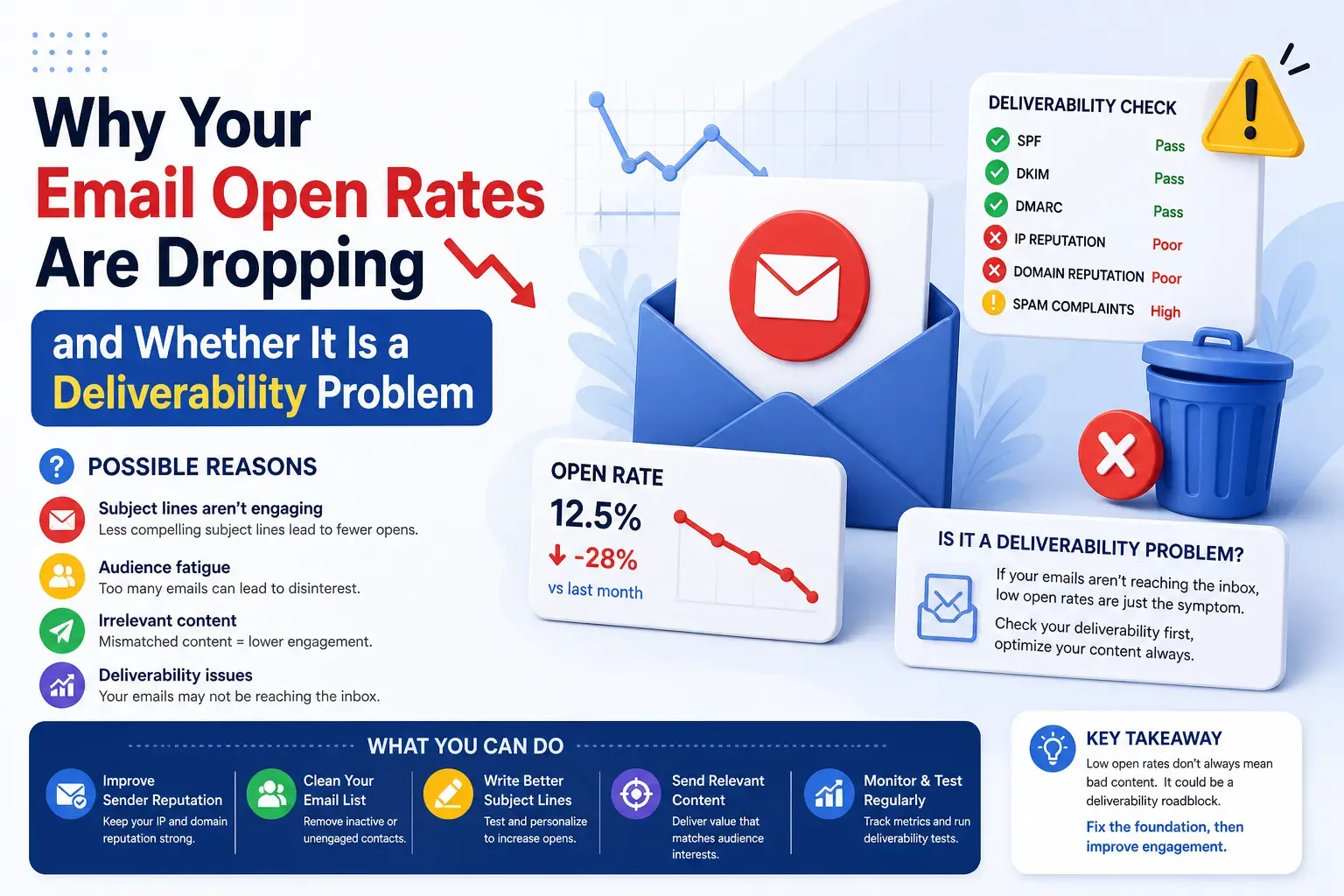
Before a single campaign goes out, I want to know what a spam filter sees when my message arrives. A spam testing tool answers that in about a minute: you send one email to a unique address, and the tool reads the headers, authentication, content and blacklist status, then hands back a score and a list of things to fix. For the price (usually free), it is the cheapest insurance in email.
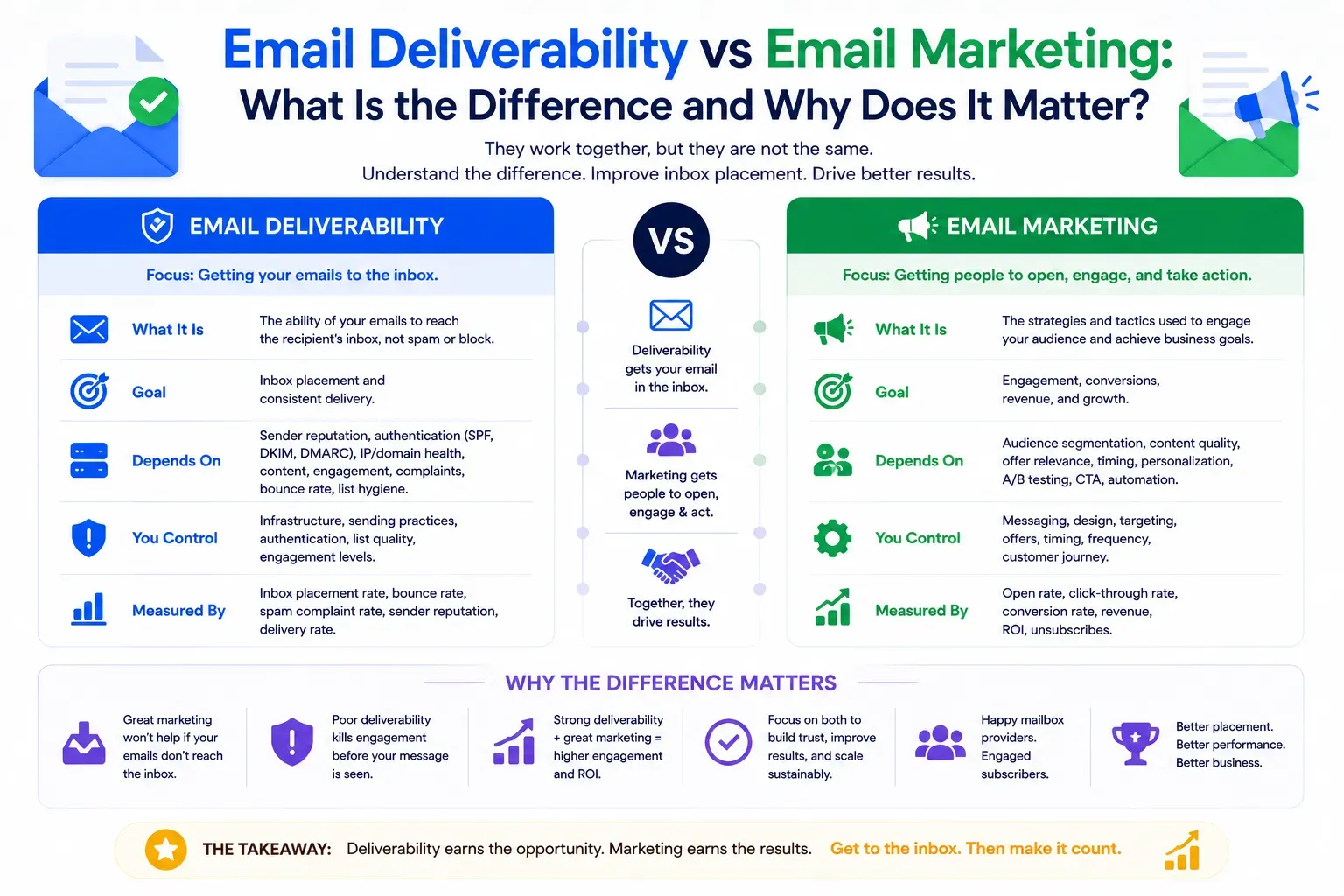
But not every tester measures the same things, and the single score they show can hide as much as it reveals. Below I compare four tools I keep coming back to - mail-tester.com, Unspam, MailChecker and Postbox Mailtester - what each is genuinely good at, and where each one stops.
How these tools work, and what the score really means
All four share the same model: they give you a one-time inbox address, you send your real email to it, and they analyse the message that actually arrives. That matters. Because they see the real connecting IP, the real SPF, DKIM and DMARC result and the real content, the verdict reflects your actual setup, not a guess.
Two cautions before you read too much into any number:
- A high score means "nothing obvious will trip a filter." It does not prove your mail reaches the inbox - only a seed or placement test does that.
- The tools score different things on different scales, so a 9/10 on one and a 95/100 on another are not comparable. Read the breakdown, not the headline.
mail-tester.com
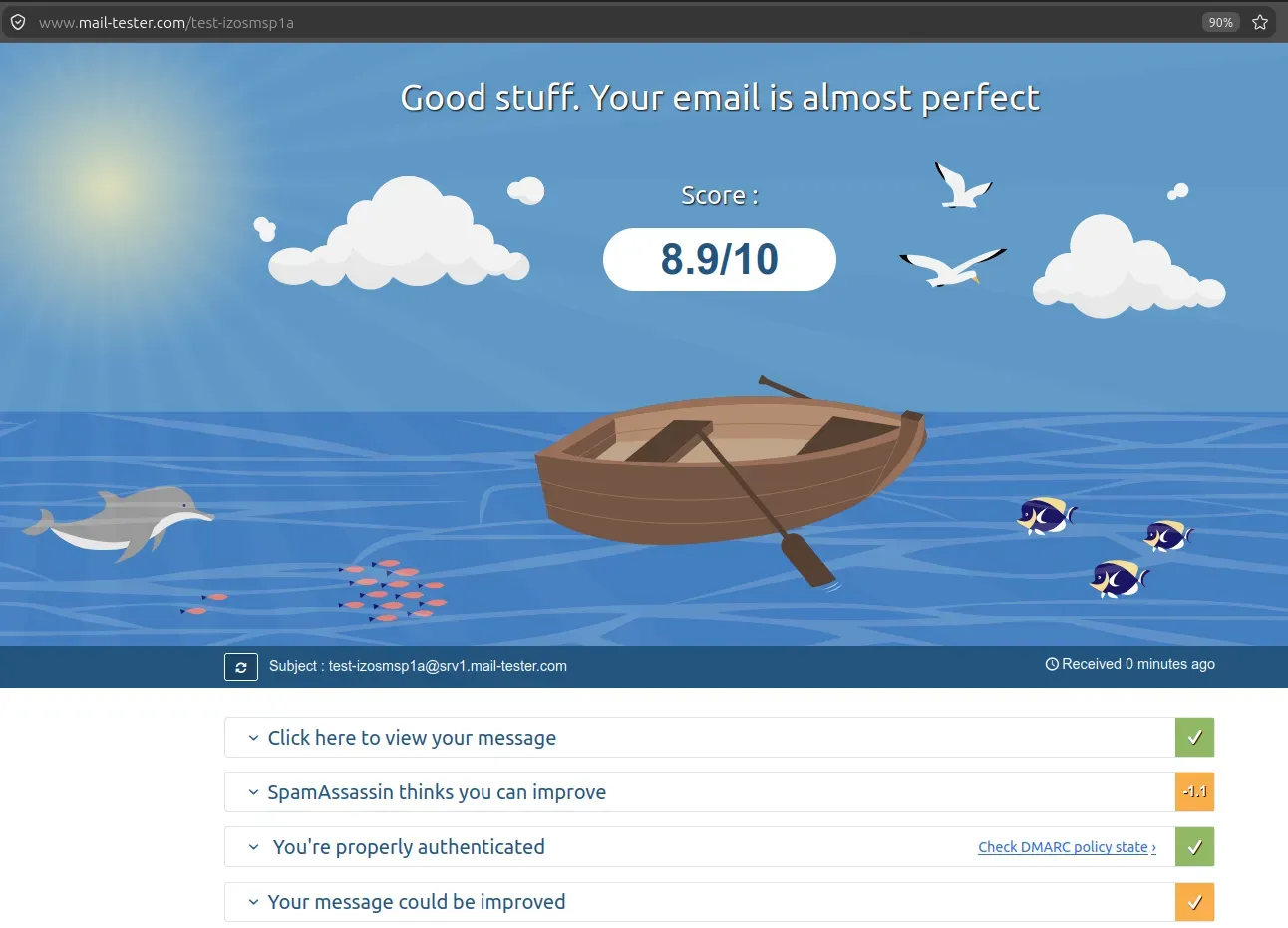
The classic, and still the fastest gut check in the business. You send to a unique address, open the result, and get a score out of 10 built largely on SpamAssassin, plus authentication (SPF, DKIM, DMARC), blacklist checks and content notes. In my testing a well-authenticated bulk email scored 9/10, with the SpamAssassin, authentication and blacklist sections all clean. It is free for a few tests a day, needs no account, and the interface is refreshingly simple.
Where it stops: the guidance is terse, there is no client-ready report to export, and the authentication read-out is fairly basic.
Unspam (unspam.email)
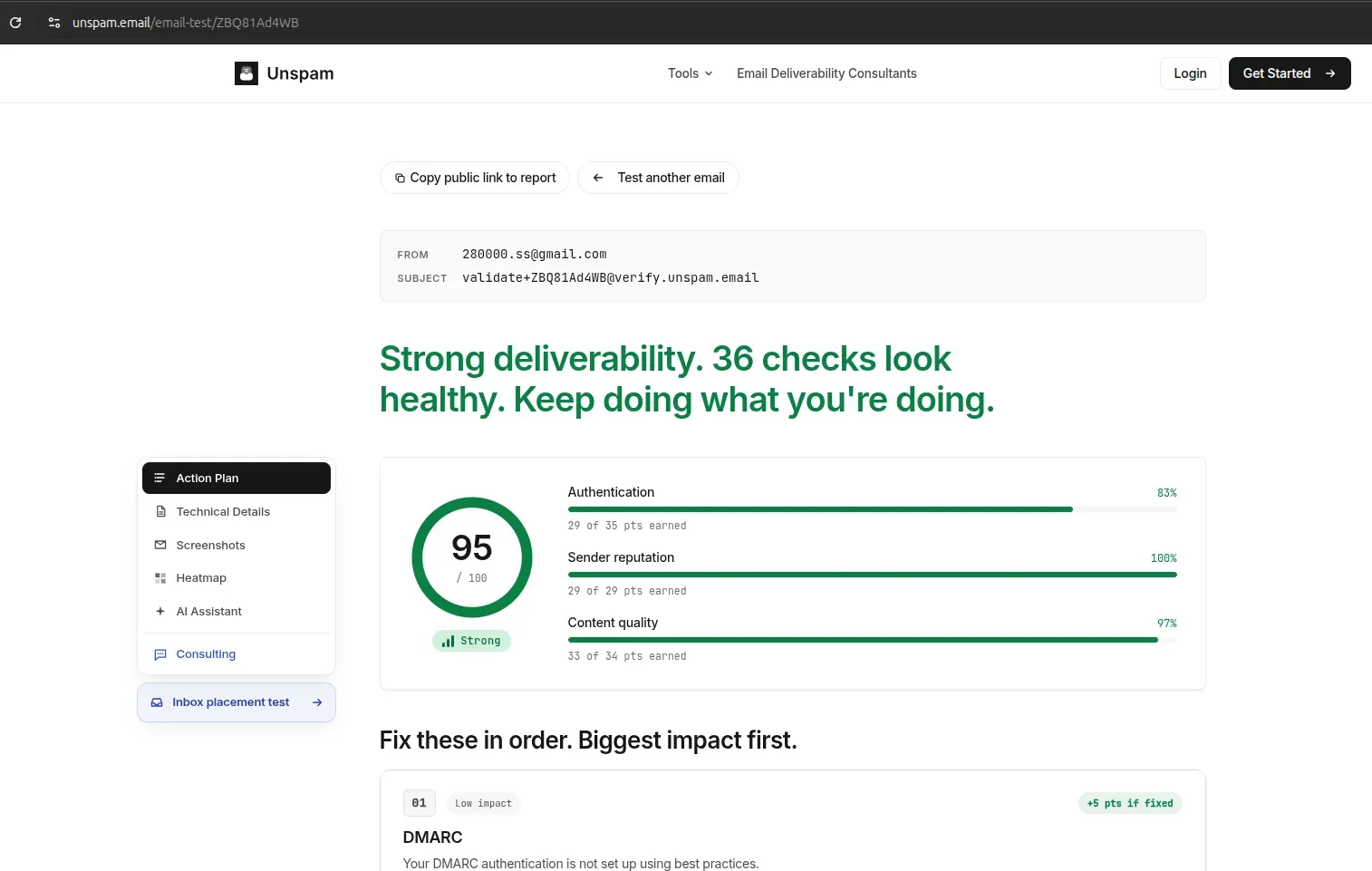
The most design and QA oriented of the group. Alongside authentication and content scoring - my test returned 95/100, "Strong," split into Authentication, Sender reputation and Content quality - Unspam adds things the others do not: rendering screenshots across clients, a heatmap, an action plan ordered by impact, an AI assistant and, separately, a true inbox placement test. If your priority is how the email looks and where it lands across providers, Unspam leans that way.
Where it stops: it is account oriented (you are nudged to sign up), and the deepest features sit behind that.
MailChecker (mailchecker.net)
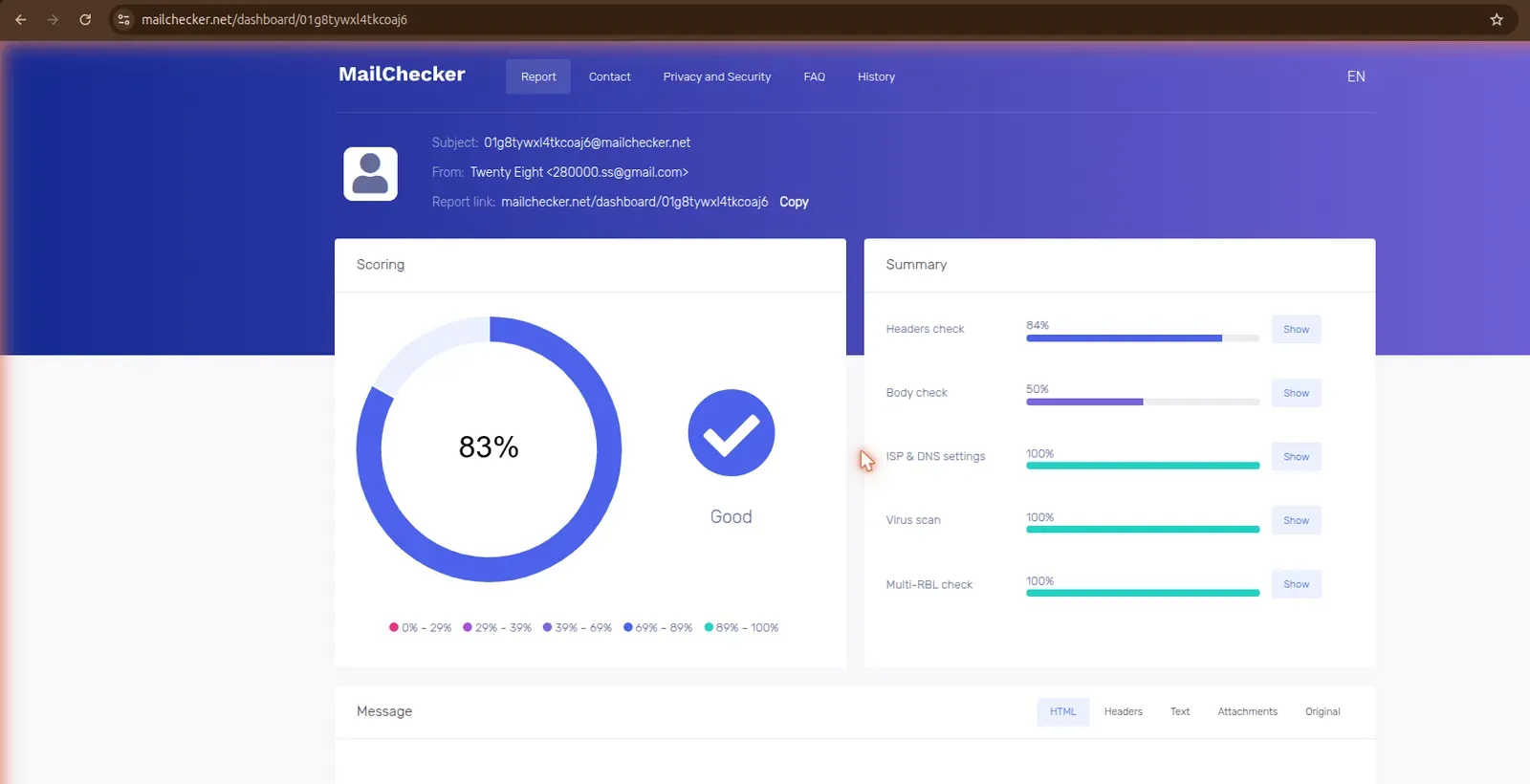
Run by the MessageFlow ESP, MailChecker is the most infrastructure focused of the four. Its report is grouped into Headers, Body, ISP and DNS settings, a virus and antiphishing scan, and a multi-RBL check across 15 blacklists. It surfaces signals the others often skip - S/MIME, TLS, BIMI, iframe and JavaScript detection, and a Razor test - and gives a clean or infected verdict. In my test the ISP and DNS, virus scan and RBL checks came back 100%, with body content the weakest area at 50%.
Where it stops: it is thorough on the security and DNS side, but the trade-off is a busier, more technical dashboard and an account-style experience.
Postbox Mailtester (mailtester.postboxservices.com)
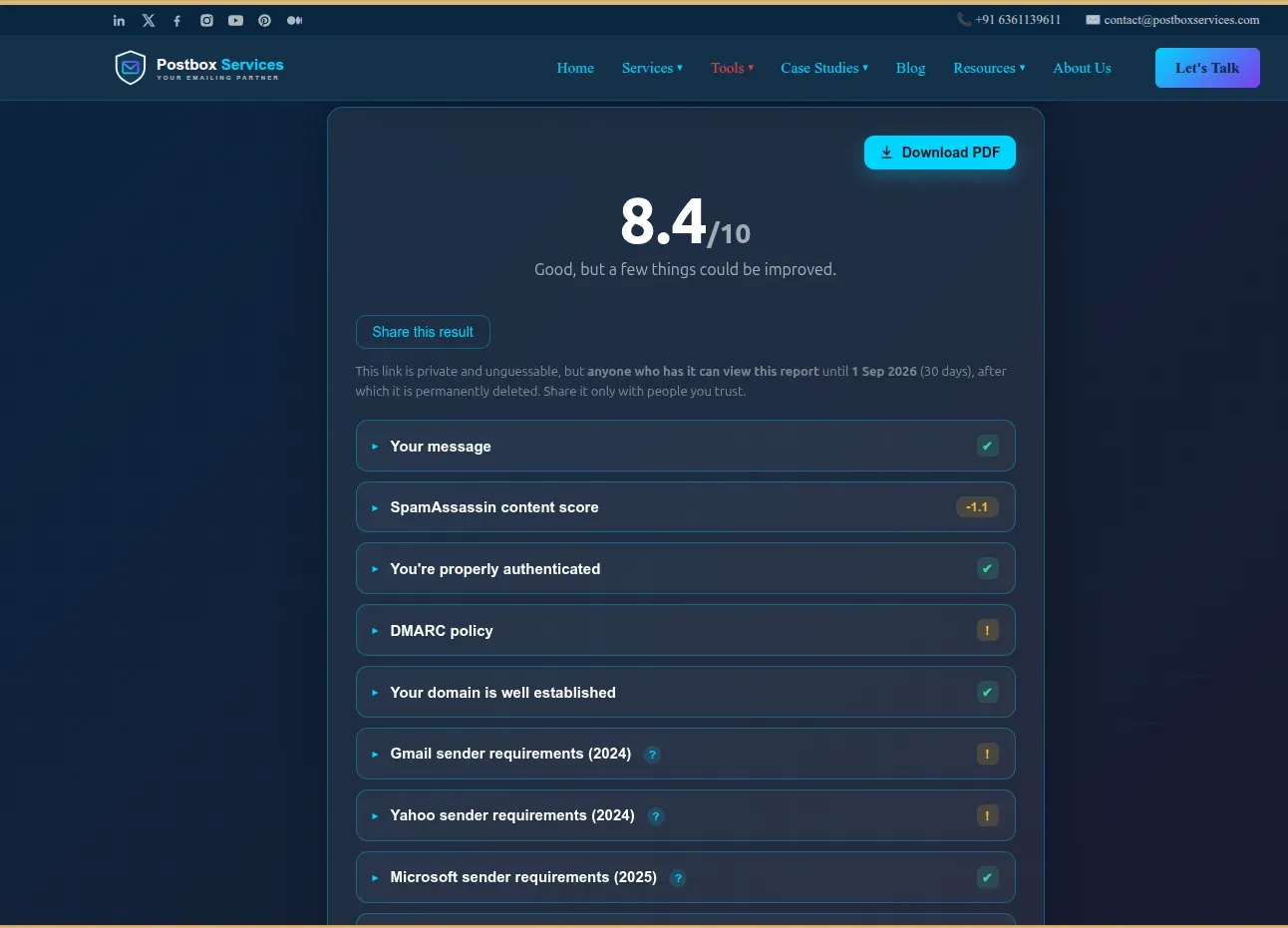
Built by the team at Postbox Consultancy Services, Postbox Mailtester takes the familiar send-to-an-address, score-out-of-10 model and points it squarely at the things that actually get mail blocked - and at giving you something you can hand to a client. A few things set it apart:
- Gmail, Yahoo and Microsoft sender-requirement scorecards. It rolls your result up into the exact checklists the mailbox providers publish - Gmail and Yahoo (2024) and Microsoft (2025) - covering authentication, DMARC enforcement, one-click unsubscribe, valid reverse DNS and TLS, so you can see at a glance whether you meet each provider's bar. None of the other tools here map your email to the provider requirements directly.
- Fair, context-aware blacklist reporting. It tells you whether a listing is against your IP or your domain, labels how each host was found ((A) or (MX)), and flags shared provider IPs, so a Google or Microsoft assigned address is not graded as if it were your dedicated IP. Most testers just print the hit; this one tells you whether it is actually your problem.
- DMARC read the way receivers read it. Policy is evaluated on your From (author) domain with correct organizational-domain fallback, so subdomains and inherited org policies are reported accurately instead of a misleading "no record found."
- Compliance checks that understand context. List-Unsubscribe and one-click are assessed against bulk senders, so ordinary business mail is not falsely flagged as non-compliant.
- A downloadable PDF report. The full audit - authentication, alignment, reverse DNS, blacklists, the SpamAssassin content score and formatting - exports as a clean PDF you can send to a client or keep on file.
- Free, no login. You can run a test without creating an account.
Where it stops: it does not yet do inbox placement or seed testing - that is on the roadmap, and it is honest about the gap. For placement, pair it with a seed test.
Side by side
- Score model: mail-tester /10 (SpamAssassin); Unspam /100, 3 categories; MailChecker % per section; Postbox Mailtester /10, auth-weighted
- SPF / DKIM / DMARC + alignment: Yes on all four; Postbox Mailtester also evaluates the author domain with organizational-domain fallback
- Blacklist check: mail-tester yes; Unspam reputation; MailChecker 15 RBLs; Postbox Mailtester yes - IP vs domain, shared-IP aware
- Content / SpamAssassin: mail-tester yes; Unspam content quality; MailChecker body + Razor; Postbox Mailtester yes, with rule hits
- Reverse DNS (PTR / FCrDNS): mail-tester via headers; Unspam -; MailChecker PTR; Postbox Mailtester yes, with provider
- Render preview / heatmap: Unspam only
- Virus / antiphishing scan: MailChecker only
- Inbox placement test: Unspam yes (separate); Postbox Mailtester on the roadmap
- Downloadable PDF report: Postbox Mailtester only
- Account required: mail-tester no; Unspam nudged; MailChecker dashboard; Postbox Mailtester no
- Gmail / Yahoo / MS sender-requirement checklists: Postbox Mailtester only (2024 / 2025)
- Cost: mail-tester free (3/day); Unspam freemium; MailChecker free; Postbox Mailtester free
What each is best for
- A quick pre-send gut check with no fuss: mail-tester.
- Design and QA, plus true placement across providers: Unspam.
- Deep DNS and security signals with virus scanning: MailChecker.
- A correct, consultant-grade technical audit you can hand to a client: Postbox Mailtester.
A word on inbox placement
None of these score tools, on its own, proves inbox placement. A clean score plus a real seed or placement test is the combination I trust. This is also where a consultant earns their keep - reading the results in the context of your whole sending program, not just one message. Use a spam tester to catch the obvious problems cheaply, then confirm placement.
Bottom line
If I could only keep two tabs open, I would run a quick mail-tester check for the instant read, then a Postbox Mailtester run when I need the details right - fair blacklist context, a correct DMARC verdict, and a PDF I can put in front of a client. Reach for Unspam when rendering and placement matter, and MailChecker when you want the deepest DNS and security view. They are all good; they are just built for different moments.