Deliverability Consultant vs. Deliverability Software: Which One Do You Actually Need?
Truitt Dill ·
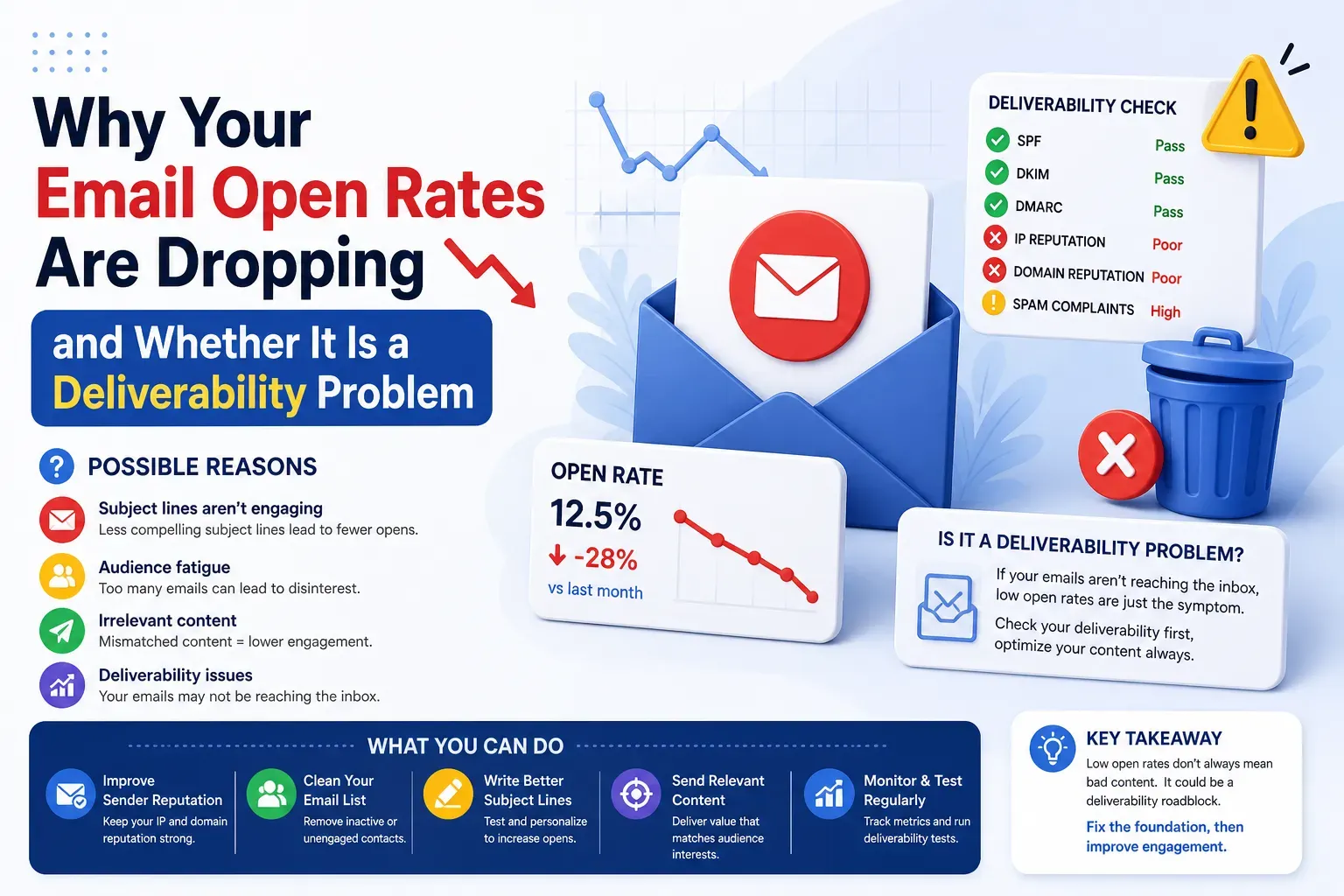
A founder emailed me last spring. He'd bought a warmup tool, run it for six weeks, and watched his open rates keep sinking. "I did everything the software told me to," he said. His domain was still hitting spam at Outlook and Microsoft 365. The warmup dashboard glowed green the whole time.
The tool wasn't lying to him. It was answering a question he never asked. His SPF record had a syntax error that broke alignment. His DMARC sat at p=none, so nothing was actually being enforced. And he'd been blasting a scraped list through a shared IP with a reputation somewhere between "questionable" and "structure fire." Automated warmup can't touch any of that. It was busy treating a symptom while the real problem kept burning.
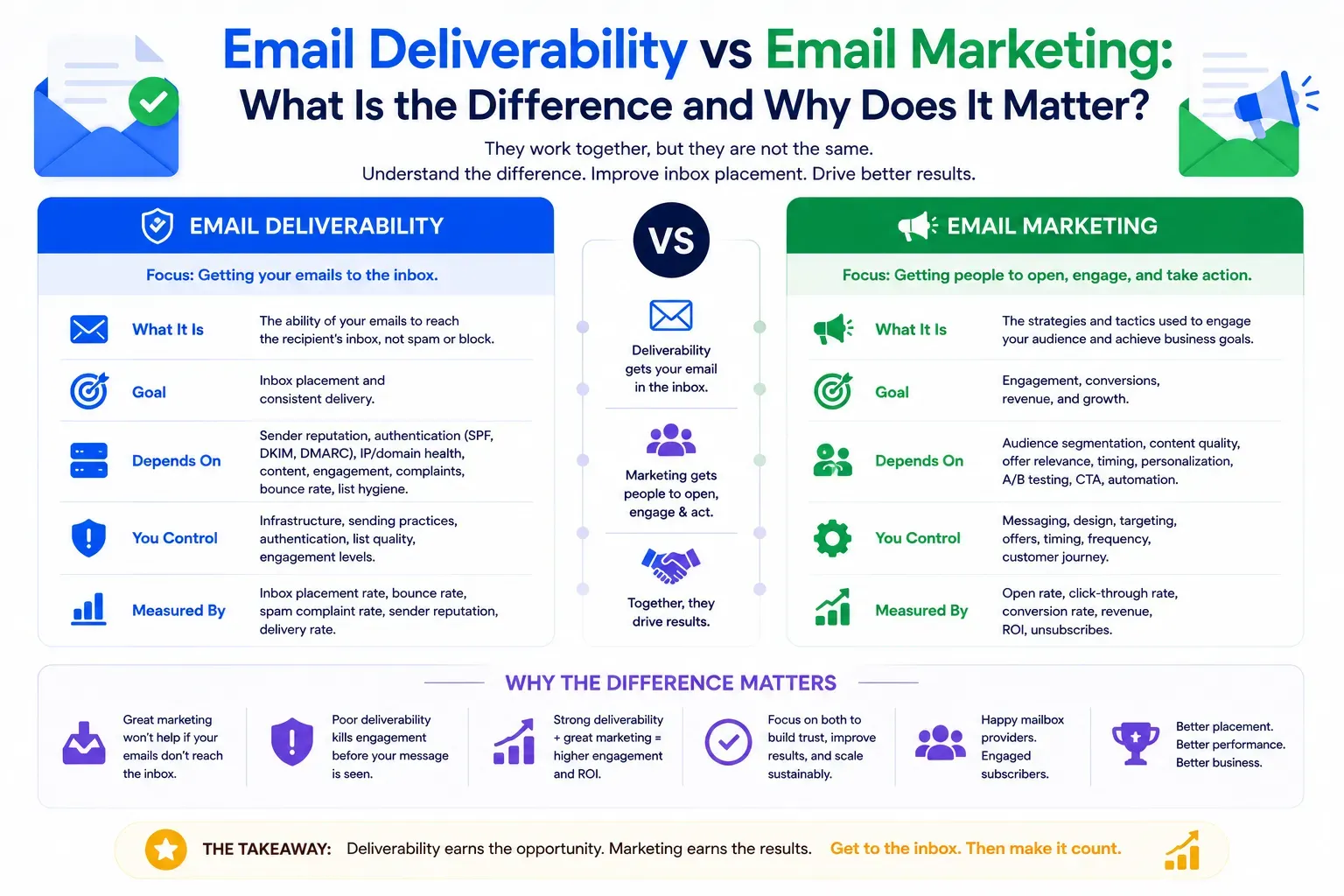
So which do you actually need, a deliverability consultant or deliverability software? They aren't competitors. They do different jobs, and most people who end up in spam bought the second thing when they needed the first.
Here's what each one really does, which tools are worth paying for, and where the software quietly stops helping.
What a deliverability consultant actually does
Strip away the job title and the work comes down to four things.
Root-cause diagnosis. When your mail lands in spam, the "why" is almost never one thing. It's a stack. Broken authentication, a domain with damaged reputation, a list full of dead addresses and spam traps, content that trips filters, infrastructure that was never set up for the volume you're pushing. A tool can flag any one of these in isolation. What it can't do is look at all of them together and tell you which one is actually sinking you, because they interact. A DMARC failure looks like a content problem. A reputation problem looks like a warmup problem. Untangling that is the job.
Strategy for fixing placement. Once you know the cause, you need a plan that fits your setup, not a generic checklist. Cold outbound, marketing, and transactional email are three different animals with three different risk profiles, and they should never share sending reputation. A good plan separates them, sequences the fixes in the right order (authentication before warming, warming before scaling), and doesn't tell you to nuke your domain when the real fix is a subdomain and two DNS records.
Implementation. This is where most "advice" falls apart. Knowing you need DKIM aligned is not the same as getting it aligned across your ESP, your CRM, and whatever cold tool your SDRs are running. Somebody has to actually go into the DNS, set up the records, configure the sending domains, warm the IPs, and clean the list. I do that part. The client keeps their existing ESP and their sending domain. What changes is the plumbing underneath.
Ongoing monitoring. Deliverability isn't a fix, it's a state. Reputation decays. A big send goes sideways. Google changes a threshold. Somebody on the team imports a bad list and torches three weeks of warming in an afternoon. Monitoring catches the drift before it becomes a crater, and someone who understands the signals decides whether a blip is noise or a fire.
Notice that only one of those four is something software does well. Software is genuinely good at monitoring and measurement. It's bad at diagnosis, useless at strategy, and it cannot implement anything. That's the whole story of this comparison, and everything below is just detail.
What people mean by "deliverability software"
"Deliverability software" isn't one product. It's a grab bag of narrow tools that each do one slice of the job. Some are excellent at their slice. The trouble starts when someone buys a warmup subscription thinking they bought a solution, then wonders why the number won't move.
Here's the honest tour, category by category.
Email warming tools
What it is: Software that sends mail from your account to a network of other inboxes, has those inboxes open it, reply, and drag it out of spam, all to build a track record of "good" engagement before you send for real.
Examples: Instantly and Smartlead (bundled into their cold-email platforms), lemwarm from lemlist, Warmup Inbox, and MailReach.
Real talk: Warming is real and it matters. A brand-new domain or IP has no reputation, and you can't go from zero to thousands of sends a day without getting flagged. Gradual, engaged sending is how you build trust. That part is legitimate.
But warming is not a fix for a reputation you already damaged, and it does nothing for broken authentication. If your SPF is wrong, warmup runs happily on top of a broken foundation and buys you nothing. If you already got flagged for blasting a purchased list, warmup won't scrub the stink off. Warming is preventive. It builds a good reputation from scratch or maintains a healthy one. It does not repair a bad one, and the tools that sell it rarely say so out loud.
Worth noting too: the mailbox providers are getting better at spotting artificial warmup networks. Bot-to-bot engagement that looks nothing like how real humans use email is a pattern, and patterns get detected. Warming helps most when it's part of a real sending strategy, not a substitute for one.
Inbox placement tests (and seedlist vs. warming)
What it is: You send a test message to a set of monitored "seed" inboxes across Gmail, Outlook, Yahoo, and others. The tool reports where each copy landed: primary, promotions, spam, or blocked. It usually checks your authentication and blacklist status at the same time.
Examples: GlockApps (the most thorough, Pro is around $79/mo and covers 30-plus providers), MailReach (tighter focus on Google Workspace and Office 365, which is what you want for B2B), and mail-tester.com (free, single-inbox, great for a quick sanity check on authentication and spam score).
This is software worth using. A placement test tells you the truth your ESP hides from you. Your sending tool says "delivered," which only means the receiving server accepted the message. It says nothing about which folder it went to. "Delivered" and "in the inbox" are not the same thing, and the gap between them is where revenue disappears.
One distinction people mix up constantly: seedlist testing and inbox warming are not the same thing. A seedlist is a set of monitored addresses you send to on purpose, to measure placement. Warming is ongoing automated sending to build reputation. A seedlist tells you where you stand right now. Warming tries to improve where you'll stand later. You use a seedlist to diagnose. You use warming to condition. Buying one when you needed the other is a common and expensive mix-up.
The catch: a placement test tells you that you're in spam. It doesn't tell you why, and it definitely doesn't fix it. It's a thermometer, not a doctor. Incredibly useful, still just a thermometer.
"Move to primary" code snippets and inbox-tab hacks
What it is: Snippets, plugins, and paid "tricks" that promise to bump your email from Gmail's Promotions tab into Primary. Strip the HTML down to plain text, drop a fake personal reply-to, add or remove certain markup, use a specific link structure. There's a small cottage industry selling this stuff.
Real talk: save your money. Some of these produce a real, temporary bump. Then Gmail and Microsoft adjust, and the trick stops working, because tab placement is driven mostly by engagement and sender reputation, not by whatever markup gimmick is trending this quarter. The providers watch for people gaming the tabs, and they're fast about shutting it down.
And here's the part the snippet sellers skip: the Promotions tab is not spam. It's a legitimate inbox that engaged recipients check. If your marketing email lands in Promotions and your people still open it, you're fine. Fighting to force everything into Primary is usually effort spent in the wrong place. Fix the reputation and engagement problem underneath and placement tends to sort itself out. Chase the hack and you're renting a result that expires.
Email rendering and preview tools
What it is: Software that shows you how your email actually displays across dozens of clients and devices, so you catch the broken layout in Outlook or the dark-mode disaster before you hit send.
Examples: Litmus and Email on Acid (now part of Sinch) are the two heavyweights. Mailtrap bundles previews with test sending.
Genuinely useful, but understand what it is. Rendering tools solve a display problem, not a deliverability problem. Outlook mangling your three-column layout is a real headache, and these tools fix it. But a beautifully rendered email still lands in spam if your authentication is broken. Rendering and deliverability get lumped together because both live under "email quality," and they're separate concerns. Use these when your problem is "it looks wrong," not when your problem is "nobody's seeing it."
Postmaster and reputation dashboards
What it is: Free tools straight from the mailbox providers that show how they see you. Spam complaint rates, reputation, authentication results, delivery errors, the signals that actually decide your fate.
The ones that matter:
- Google Postmaster Tools — now on a V2 dashboard. If you send any real volume to Gmail, this is non-negotiable. Domain reputation, spam rate, authentication, and delivery errors, straight from Google.
- Microsoft SNDS (Smart Network Data Services) plus JMRP (the Junk Mail Reporting Program) — Microsoft's answer, though it's IP-focused and consumer-only (Outlook.com, Hotmail, Live, MSN). Heads up: Microsoft recently reworked it so your JMRP complaint feed has to be tied to an SNDS account, and they discontinued the old complaint-sample downloads. If you set this up a while ago, go check that your data is still flowing.
- Yahoo Sender Hub — Yahoo and AOL feedback and reputation data.
This is the good stuff, and it's free. These dashboards are the closest you'll get to seeing your own reputation through the provider's eyes. Every serious sender should have them set up.
The honest limitation: they're diagnostic, and they're not exactly friendly. Postmaster Tools is decent. SNDS is a data dump that looks like it was designed in 2009, because it roughly was, and interpreting it takes real experience. It'll tell you your complaint rate spiked. It won't tell you which campaign caused it or what to do next. That gap between "here's a scary number" and "here's the fix" is exactly where a human earns their keep.
DMARC reporting tools
What it is: When you publish a DMARC record with a reporting address, mailbox providers send you daily XML reports about every source sending mail as your domain, and whether it passed SPF and DKIM. Raw, those reports are unreadable gzipped XML. DMARC tools ingest them and turn them into a dashboard you can actually use.
Examples: Postmark DMARC Digests (free weekly email summaries, dead simple, my usual first recommendation for smaller senders), dmarcian and EasyDMARC (fuller platforms with free tiers), Valimail (enterprise), and parsedmarc if you want to self-host the open-source route.
Set this up before you touch anything else. DMARC reporting is how you discover the shadow IT sending mail as your company: the CRM nobody told you about, the invoicing tool, the abandoned marketing platform, the actual spoofing attempts. You cannot safely move DMARC to p=quarantine or p=reject until you know every legitimate source, and this is how you find them.
Same pattern as everything else on this list, though. The tool shows you the data. Reading it correctly and knowing which failing source is a real threat versus a misconfigured-but-legitimate sender, then fixing the underlying SPF and DKIM so you can tighten the policy without blocking your own mail, is the work. The report is the map. Somebody still has to drive.
So which do you actually need?
Here's the honest version.
You need software, not a consultant, if: your setup is basically healthy and you want to keep it that way. Your authentication is solid, you send to a clean list, you're on decent infrastructure, and you just want visibility. Set up Postmaster Tools, SNDS, and a DMARC monitor. Run a placement test now and then. Warm new domains before you scale them. That's a real, functional stack, and for a lot of senders it's genuinely enough. I'd rather tell you that than sell you something you don't need.
You need a human if: something is already broken and you don't know why. Open rates cratered and the dashboards just confirm it without explaining it. You got a domain blacklisted. You're migrating ESPs or scaling volume and can't afford to guess. Your mail hits spam and you've already tried the tools and nothing moved. That last one is the tell. It means the problem is diagnostic, and diagnosis is the one thing no tool does.
The trap to avoid is thinking software is the cheaper version of a consultant. It isn't cheaper, it's different. It measures. A consultant diagnoses and fixes. Buying more measurement tools to solve a problem you can't diagnose is how that founder from the intro spent six weeks and a subscription fee watching a green dashboard while his mail went to spam.
Bottom line
Deliverability software is a set of instruments. Placement tests, postmaster dashboards, DMARC monitors, warmup, rendering previews. Good instruments, most of them, and several are free. Every serious sender should be running them.
But instruments read the situation. They don't change it. The number on the dashboard going up requires someone who understands why it's down, and that's diagnosis, strategy, and implementation, none of which come in a subscription.
Buy the tools. They're worth it. Just don't mistake the thermometer for the cure.
— Truitt, Formula Inbox